
One vault for generationsof wealth documents
The data room purpose-built for family offices. Manage trust agreements, estate plans, K-1s, and holding company structures with branch-level privacy and granular advisor access.Set up in under 5 minutes.
24/7 dedicated support for enterprise deals
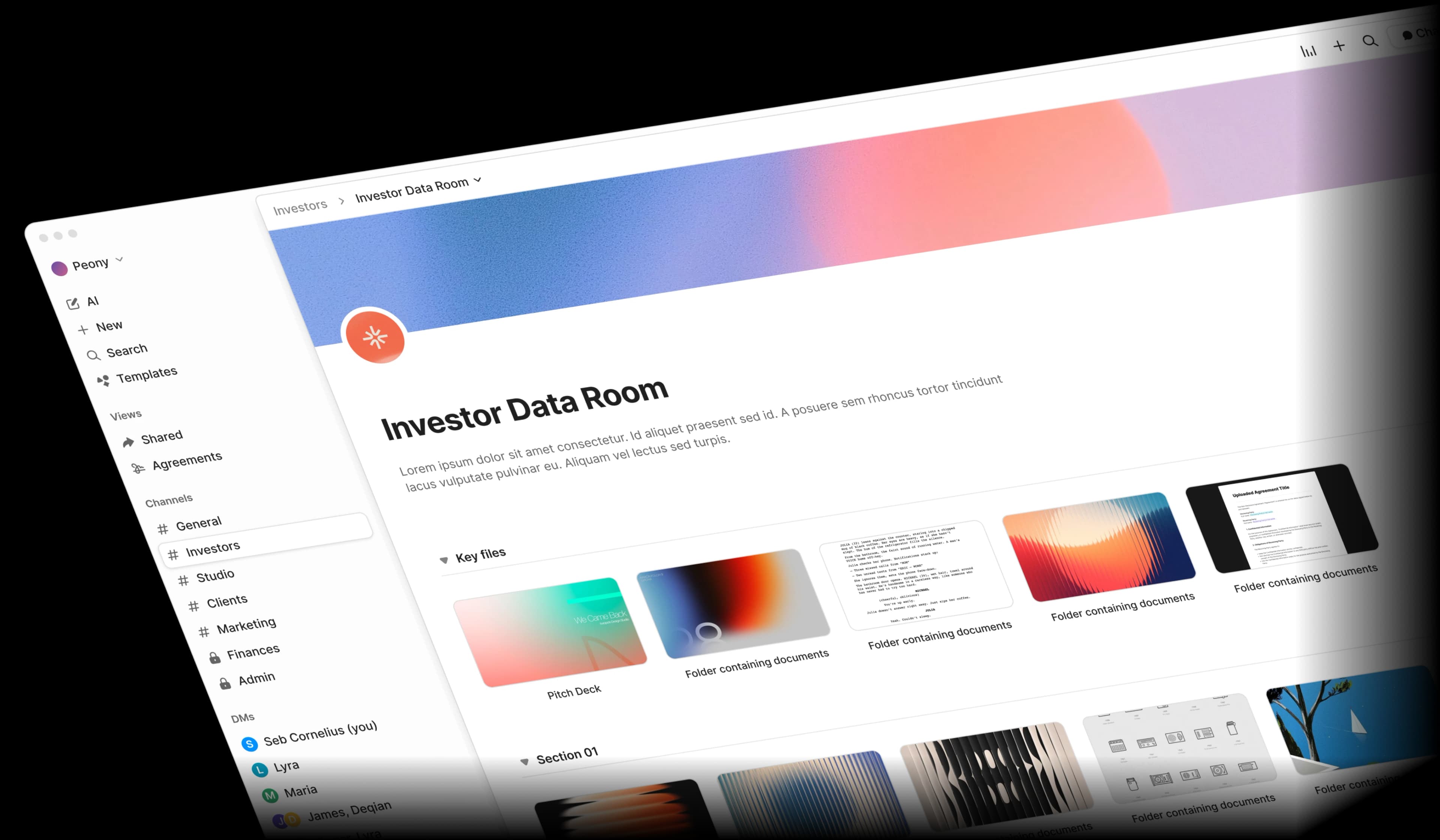
Family office document management is broken
Trust agreements in one folder, K-1s in another, estate plans buried in email. When documents span generations, entities, and advisors, things fall through the cracks.
Multi-generational sprawl
Decades of trust documents, estate plans, and holding company filings scattered across shared drives, email, and filing cabinets. Nothing in one place.
Branch privacy gaps
Not every family member should see everything. Shared folders make it nearly impossible to keep one branch's financials private from another.
Succession risk
Letters of wishes, governance charters, and succession plans need secure, long-term archival. If the patriarch or matriarch is the only one who knows where things are, the family is at risk.
Advisor access chaos
Lawyers, CPAs, wealth managers, and tax advisors each need different documents. Managing who sees what through email attachments is a liability.
Built for how family offices actually operate
Peony gives you branch-level privacy, granular advisor permissions, and AI-powered document intelligence — all at a fraction of legacy VDR pricing.
Every branch sees only what they should
Personalized links ensure each family member accesses only their branch's trust documents, K-1 schedules, and investment statements. Screenshot protection keeps sensitive wealth data from leaking between branches or outside the family.
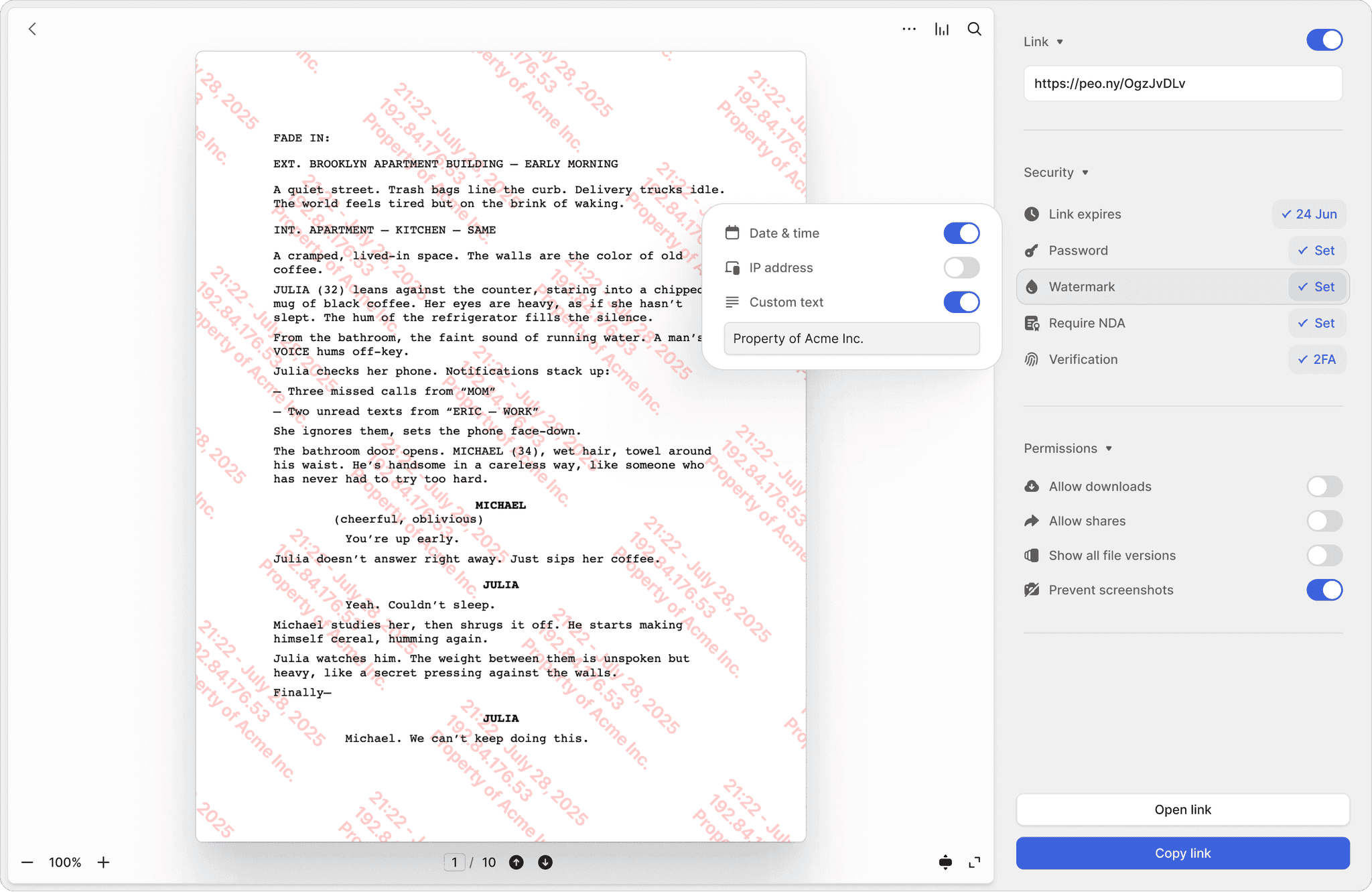
Personalized links per member
Each family member gets a unique link that reveals only their branch's trusts, estate plans, and financial statements. No shared logins, no accidental cross-branch exposure.
Granular folder permissions
Organize by entity — family trust, holding company, private foundation — and set folder-level access so each generation sees exactly what they need.
Screenshot protection
Block screen captures of net worth statements, tax returns, and estate valuations. Wealth data stays where it belongs — inside the data room.
Separate access tracks for every advisor
Give your estate attorney access to trust agreements, your CPA access to K-1s and tax filings, and your wealth manager access to investment portfolios — all from one data room. Require NDA signatures before viewing and auto-expire links when engagements end.
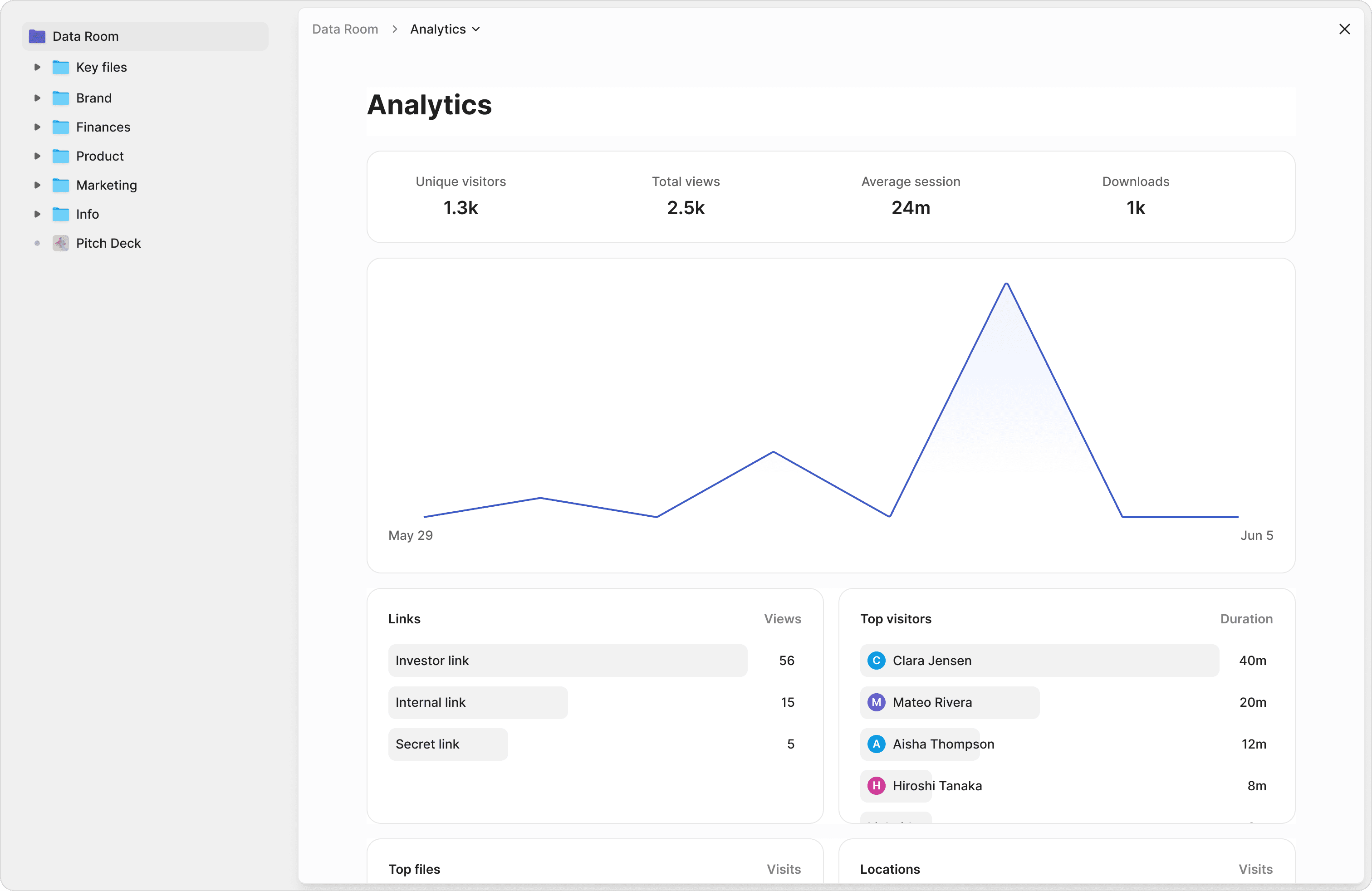
Role-based advisor access
Lawyers see trust documents, CPAs see tax filings, wealth managers see portfolio reports. Each advisor gets a scoped view — no one sees more than they need.
NDA-gated viewing
Require external advisors to sign an NDA before accessing trust documents or estate plans. Built-in e-signatures make it seamless — no separate DocuSign needed.
Auto-expiring links
Set link expiry dates tied to advisor engagements. When a tax advisor's engagement ends, their access disappears automatically — no manual cleanup.
Search decades of documents in plain English
Stop digging through filing cabinets and nested folders. Ask questions across your entire document library — trust amendments, tax returns, governance charters — and get instant, sourced answers. Your advisors can review estate plans in minutes, not days.
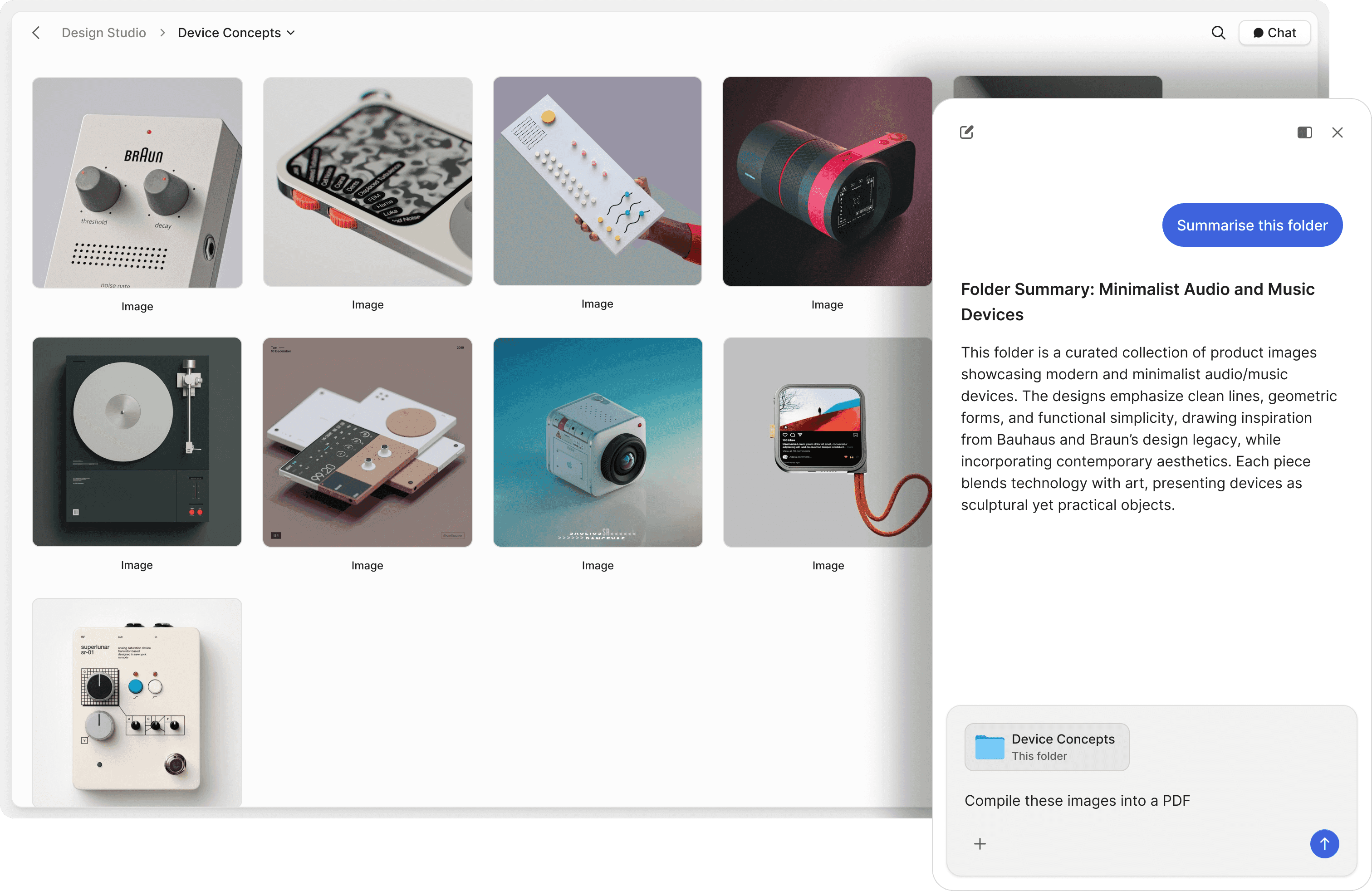
Chat with your documents
Ask questions across trust agreements, estate plans, and K-1 schedules. AI retrieves answers with exact source references — no more hunting through binders.
Natural language search
Search your data room in plain English. Find specific trust provisions, beneficiary designations, or holding company amendments without remembering file names or dates.
Advisor Q&A on autopilot
Let AI answer advisor questions about trust structures, distribution schedules, and entity ownership 24/7. Track what they ask to stay ahead of issues.
"Every now and then, you come across a product that has a massive positive impact on your business. Peony is one such product."
Panos Moutafis
Founder & CEO, Zenus
Anish Bharadwaj
Founder & CEO, KiwiQ
"Peony is a great example of a customer-obsessed company with a fantastic sense of design and UX. We moved on from Docsend in the first week — what we are really excited about is what all Peony does next."
Frequently asked questions
What documents should a family office store in a data room?
A family office data room typically includes trust agreements, estate plans, K-1 schedules, holding company filings, governance charters, letters of wishes, succession plans, and investment portfolio reports. Peony organizes these by entity — family trust, holding company, private foundation — with branch-level privacy so each generation sees only what they should.
How does Peony keep documents private between family branches?
Peony uses personalized links so each family member accesses only their branch's trust documents, financial statements, and K-1 schedules. Screenshot protection prevents wealth data from being captured, and dynamic watermarks trace any leak back to the viewer. For permanently blacking out sensitive figures like net worth or account numbers before sharing documents with external advisors, the Deal Team plan adds Advanced Redaction. Unlike generic tools like Google Drive, Peony prevents accidental cross-branch exposure.
Can a family office give different advisors — tax counsel, estate planners, investment managers — access to different document sets?
Yes. Peony supports role-based permissions so your estate attorney sees only trust agreements, your CPA sees tax filings and K-1s, and your wealth manager sees portfolio reports — all from one data room. You can require NDA signatures before viewing and auto-expire links when advisor engagements end.
Is a data room secure enough for sensitive wealth documents?
Peony provides enterprise-grade security including two-factor authentication and full audit trails on every plan, with screenshot protection and Simple NDA gating on the Business plan ($30/admin/month). The Data Room plan ($52/admin/month) adds dynamic watermarks, Advanced NDA with a signed PDF and audit trail, Screenshield, and granular permissions for the most sensitive wealth documents. All documents are protected with AES-256 encryption at rest and TLS 1.3 in transit, on SOC 2 Type II-ready infrastructure. Peony is GDPR, CCPA, and HIPAA compliant. Unlike legacy VDRs like Firmex that charge thousands for these features, Peony delivers them at a fraction of the cost.
How does Peony help with multi-generational document management?
Peony centralizes decades of trust documents, estate plans, and holding company filings in one searchable vault. AI-powered document chat lets you ask questions across your entire library in plain English — find specific trust provisions, beneficiary designations, or distribution schedules without remembering file names or dates.
How much does a family office data room cost for a multi-generational wealth management operation?
Peony starts free ($0) and scales with your needs: Business at $30/admin/month (AI document Q&A, screenshot protection, dynamic watermarks, up to 3 data rooms per admin) and Data Room at $52/admin/month (unlimited data rooms, unlimited storage, granular permissions, Advanced NDA). There are no per-viewer, per-page, or per-link limits, so costs stay predictable as you add family members and advisors. Legacy VDRs like Ideals and Firmex charge thousands annually for similar capabilities. Peony delivers branch-level privacy and enterprise security at a fraction of the price.
Can my family office use AI to search through old documents?
Peony includes AI-powered Q&A that searches across your entire document library — trust amendments, tax returns, governance charters — and returns instant, sourced answers. Your advisors can review estate plans in minutes instead of days, and auto-indexing makes even scanned legacy documents searchable.
What support does Peony provide family offices managing sensitive wealth documents?
Peony provides 24/7 dedicated support for enterprise deals — because when an estate attorney or wealth advisor cannot access trust documents during a time-sensitive succession event, the family office needs immediate resolution. Enterprise support is available to offices who book a demo with our team. Every plan includes in-app help, documentation, and email support. For family offices where confidentiality and advisor access are paramount, Peony ensures no authorized party hits a dead end.
How do I handle succession planning documents securely?
Peony lets you store letters of wishes, governance charters, and succession plans with granular access controls. Only designated family members see these sensitive documents, with 2FA verification for extra security. Peony's audit trails record every view, so you know exactly who accessed succession materials and when.