
The data room for RWA tokenization and stablecoin compliance
Share reserve attestations, legal opinions and compliance packs with auditors, regulators, exchanges and institutional investors behind an NDA; give each reviewer only the folders it should see; and prove who opened which report, and when: every filing, every jurisdiction, one secure room.Set up in under 5 minutes.
No credit card · 7-day Data Room trial that never auto-charges · auditors, regulators and investors view free, no account · 24/7 support
8,000+ customers in 60+ countries · $44.7B in client assets
Peony staff can't open your documents, your documents aren't used to train AI, and Peony has had no data breach since launch.
What is Peony's RWA and stablecoin data room, and who is it for?
Peony is a virtual data room that tokenization and stablecoin issuers use to share reserve attestations and legal opinions under NDA, give each auditor, regulator or investor its own folders, and track every view. Rooms start at $30 per admin per month on Business (3 rooms per admin); Data Room, the most popular plan, is $52 with unlimited rooms and storage, billed yearly, and auditors, regulators and investors never pay.
Tokenized assets demand a new kind of data room. An RWA or stablecoin data room is a permissioned online workspace where an issuer shares the reserve, legal and compliance file behind a token with the auditors, regulators, banking partners, exchanges and institutional investors who review it, with every view recorded. RWA tokenization and stablecoin issuance involve auditors, regulators, and investors across multiple jurisdictions — all needing different documents, different access levels, and airtight compliance trails. Raising for the issuer itself? See our list of RWA and stablecoin investors.
- Keep every filing in one room: reserve reports, legal opinions, white papers and licence filings, with a folder set per jurisdiction and unlimited storage on Data Room.
- Disclose selectively: a group per auditor, regulator, exchange or investor, a signed NDA before the first page, and folder- and file-level access that releases each document only to the reviewers who need it.
- Prove who saw what, and when: page-by-page analytics for every reviewer and a per-viewer audit trail of views, downloads, NDA acceptances and signatures.
Peony at a glance
- Built for
- Payment stablecoin issuers, RWA tokenization platforms, tokenized fund and treasury managers, token issuers preparing an exchange listing or security token offering, and the counsel and compliance teams preparing their regulatory, listing and investor packs.
- Typical plan
- Data Room, $52 per admin per month billed yearly ($75 monthly): unlimited rooms, documents and storage, a signed NDA with audit record, dynamic watermarks with a per-group label such as the jurisdiction, granular folder and file permissions per reviewer group, Visitor Q&A, AI room generation and Index documents.
- Pricing
- Business $30, Data Room $52 and Deal Team $64 (minimum 4 admins) per admin per month billed yearly ($44, $75 and $89 monthly); Enterprise is custom. Free ($0) covers 50 documents and 500 MB as tracked single-file links; data rooms start on Business.
- Auditors, regulators and investors
- Auditors, regulators and investors are unlimited and free on every plan and don't need a Peony account. You pay per admin, not per viewer.
- Rooms and storage
- Unlimited data rooms, documents and storage on Data Room and above, and no per-file size cap on any plan. Business includes 3 data rooms per admin, 1,000 documents per admin and 100 GB of storage, with no per-file size cap.
- Selective disclosure
- Each auditor, regulator, exchange or investor is a group with its own link and No access, View, Download or Upload set on every folder and file (Data Room). A file at No access is absent from that group's view, not greyed out, and Hide new content by default keeps a new attestation hidden until you release it.
- Disclosure record
- Page-level analytics on every plan; CSV export of views, sessions and downloads from Business; the per-viewer audit trail of views, downloads, NDA acceptances and e-signatures on Data Room. Every session logs a timestamp, IP address and device.
- File management
- Upload new version keeps a file's place and link and keeps every earlier version; AI room generation drafts the folder structure, and Index documents numbers every file (Data Room plan). Folder upload keeps a filing tree's structure, and the Upload permission lets an accounting firm or custodian add files to a folder you choose.
- Live dashboards
- Peony renders .html files live with JavaScript running, so a Claude or ChatGPT artifact (a model, dashboard or calculator) stays interactive for the viewer, behind your NDA gate, permissions and analytics.
- Enterprise and IT review
- Deal Team (minimum 4 admins) adds OAuth SSO, API access, priority support, a dedicated account manager, security documentation and a standard DPA with SCCs on request. Enterprise (custom) adds SAML SSO, BYOK, self-hosted or white-label deployment and custom data residency, including EU-region hosting. See the security overview.
- Security
- AES-256 at rest, TLS 1.2+ in transit. Peony staff can't open your documents, your documents aren't used to train AI, and Peony has had no data breach since launch. Peony's incident-response policy commits to telling affected customers within 72 hours of confirming an incident that affects customer data. SOC 2 Type II-ready and ISO 27001-ready, with both audits underway. Compliance and certifications
- Setup
- Median 4 min 19 s from sign-up to first uploaded document (State of M&A Data Rooms, Q3 2026 edition).
- Trial
- 7-day Data Room trial you start yourself: no credit card, and it never auto-charges. Rooms, files, links, analytics and NDA settings carry over when you upgrade. AI features switch on after you upgrade.
- Support
- 24/7 support, handled directly by the Peony team across Europe, US and Asia hours, with no outsourced tier. Everyone you speak to on Peony support has M&A experience at elite boutiques or bulge-bracket banks, VC experience, or has raised $1M+ themselves.
- Customers
- 8,000+ customers in 60+ countries, with $44.7B in client assets.
Which tokenization and stablecoin teams use a data room, and for what?
Peony's RWA and stablecoin data room serves six kinds of team: payment stablecoin issuers, RWA tokenization platforms, tokenized funds, token issuers preparing a listing, security token offerings, and the counsel and compliance advisers behind them.
Payment stablecoin issuers
Monthly reserve composition reports, custody and bank statements, the accountant's examination report, the reserve and redemption policies and the officers' certifications, shared with the accounting firm, regulators and banking partners.
RWA tokenization platforms
Issuing-vehicle documents, title and valuation reports for the underlying asset, legal opinions on token classification and smart contract audits, shared with investors, exchanges and counsel.
Tokenized funds and treasuries
Offering memorandum, fund administrator and NAV reports, custody arrangements and KYC/AML policies for institutional allocators, one group per investor or share class.
Exchange listings
The white paper, legal opinion, smart contract audit, token economics and reserve reports a listing team reviews, behind an NDA with downloads off.
Security token offerings
SAFTs and token purchase agreements, registration or offering documents and subscription agreements for accredited investors. See private placement data rooms.
Counsel and compliance advisers
Licence applications and filings across the US, EU, Singapore and the UAE, with a folder set per jurisdiction so each regulator and co-counsel sees only its own.
What do tokenization and stablecoin issuers use Peony's data room for?
Peony handles the three jobs behind every reserve, listing and regulatory review: keeping every filing in one room, disclosing each document only to the reviewers who need it, and proving who saw which version and when.
Peony gives RWA issuers and stablecoin operators a secure, compliant space to organize and share regulatory documents — with audit trails that hold up under scrutiny.
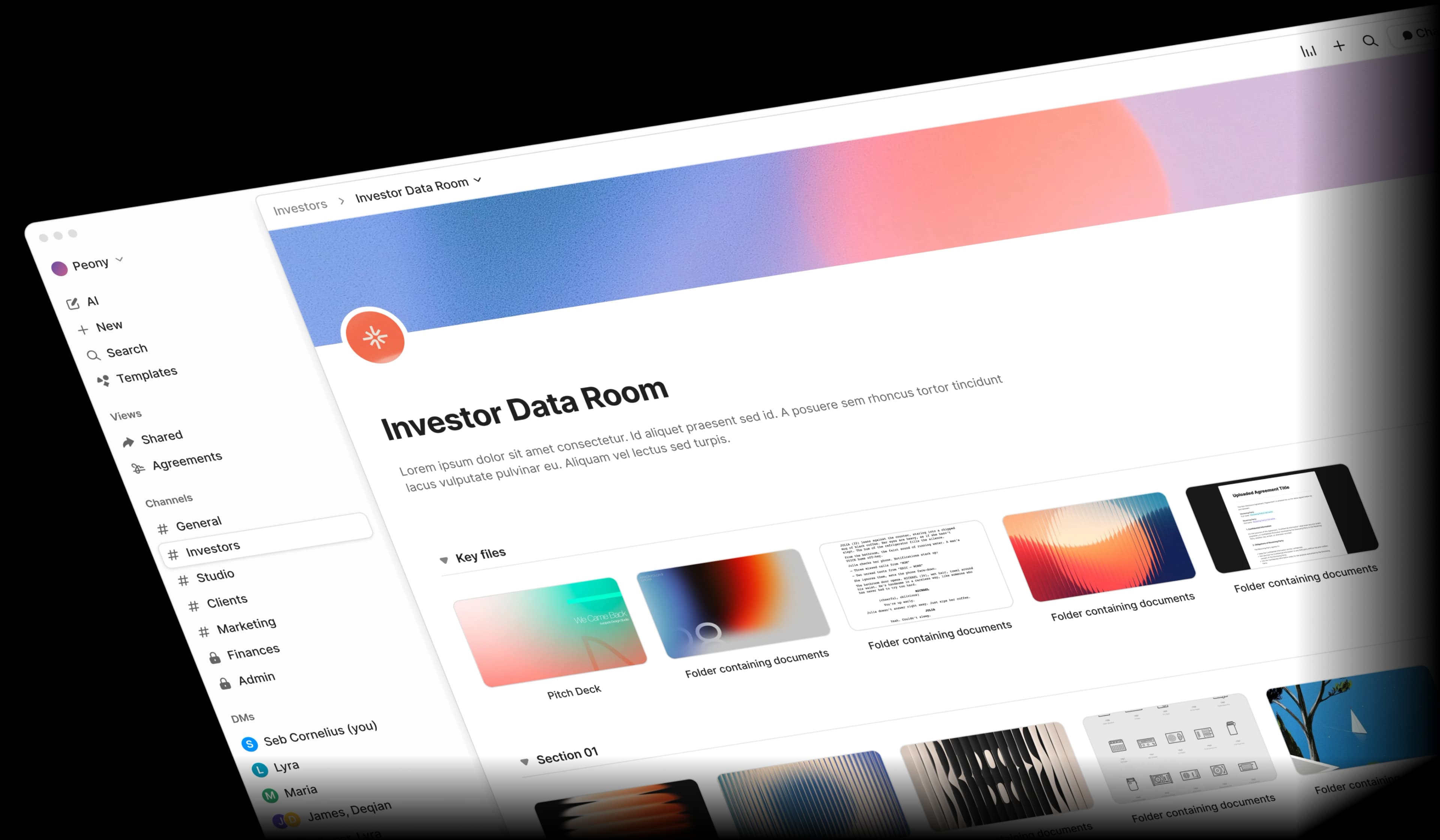
Create branded rooms per jurisdiction, token offering, or fund structure
Peony keeps token offering documents, regulatory filings, reserve attestations and legal opinions in one room, with a folder set per jurisdiction and unlimited storage on Data Room, so every reviewer works from the same current file.
Different regulators and counsel see different document sets: Peony lets you share SEC filings with US counsel, MiCA whitepapers with EU regulators, and MAS license applications with Singapore advisors, each with their own access level and audit trail. AI room generation drafts the folders from a one-line description, Index documents numbers every file, and Upload new version replaces a revised legal opinion or reserve policy at the same link while keeping every earlier version.
(Unlimited rooms and storage, AI room generation and Index documents: Data Room ($52/admin/mo billed yearly). Business includes 3 rooms per admin and 100 GB of storage.)
What it replaces: Compliance docs scattered across jurisdictions. Token offering docs, legal opinions, and regulatory filings spread across email, shared drives, and counsel's systems. No single source of truth.
Give each auditor, regulator and investor only what it should see
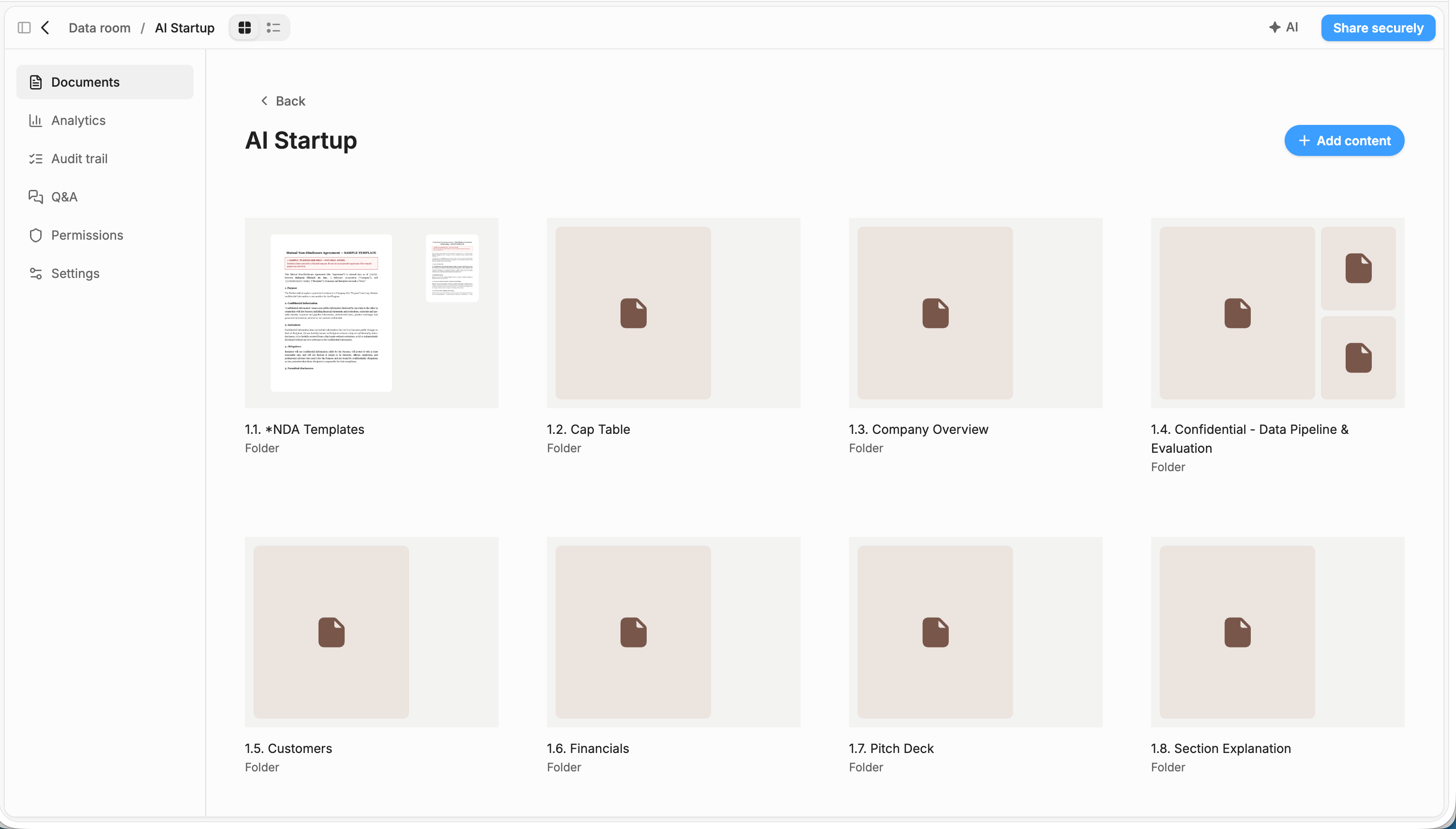
Peony gives each auditor, regulator, exchange or investor its own group, link and folder- and file-level permissions behind a signed NDA, so auditors see full reserve backing, regulators see compliance filings and investors see offering memorandums.
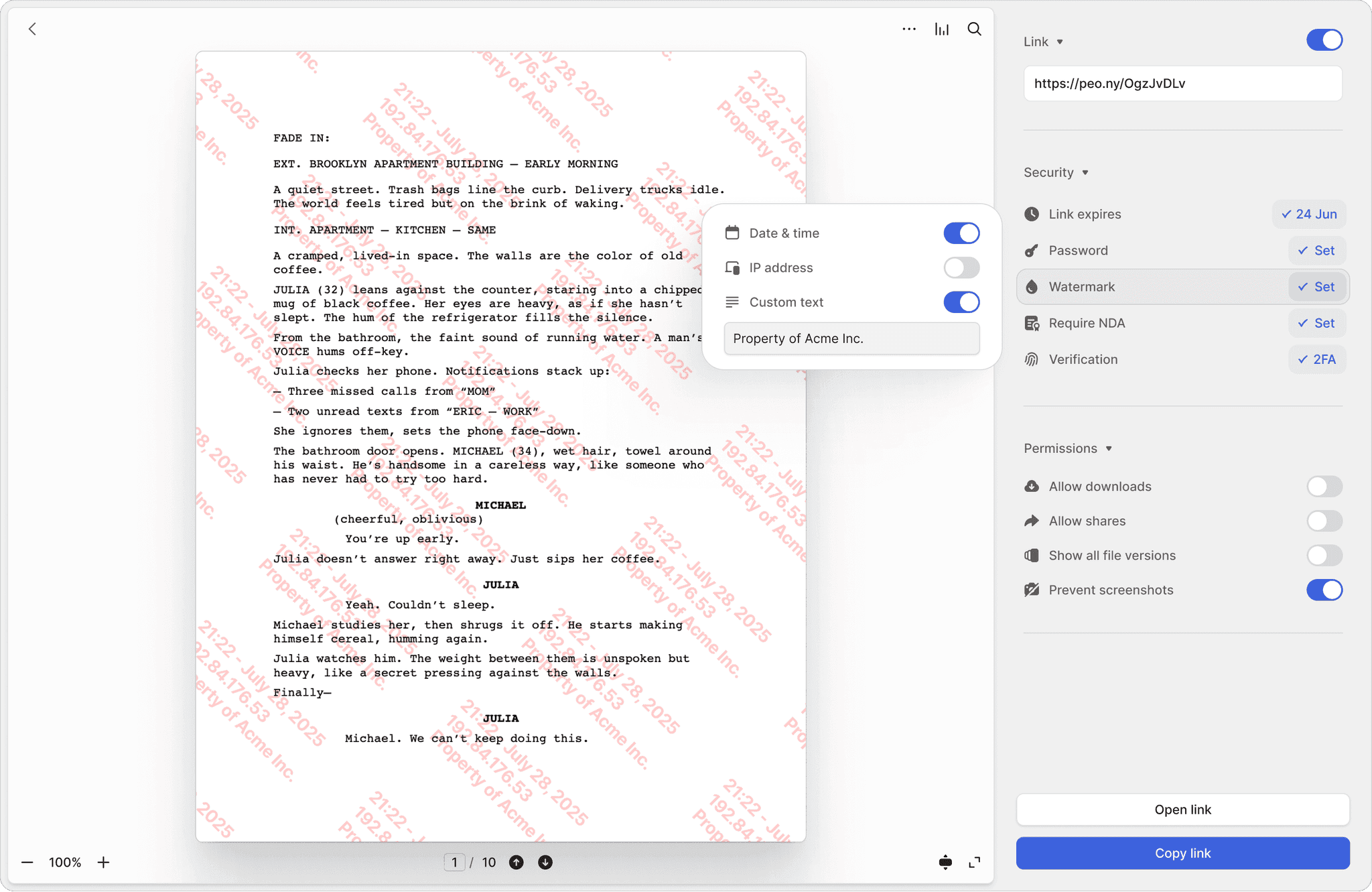
A file set to No access is absent from that group's view, not greyed out. Dynamic watermarks stamp every page with the viewer's name, email, IP, date and time, plus a label you type per group, such as the jurisdiction. Once your KYC and accreditation checks clear an investor, add them to the accredited-investor group, so only that group opens the token purchase agreements.
(NDA gate, download blocking and desktop screenshot protection from Business; the signed NDA, dynamic watermarks, Screenshield, granular permissions and Visitor Q&A on Data Room ($52/admin/mo billed yearly).)
What it replaces: Sharing with too many parties. Regulators, legal counsel, auditors, institutional investors, and token holders all need access to different document sets.
Track exactly who accessed each document, when, and for how long
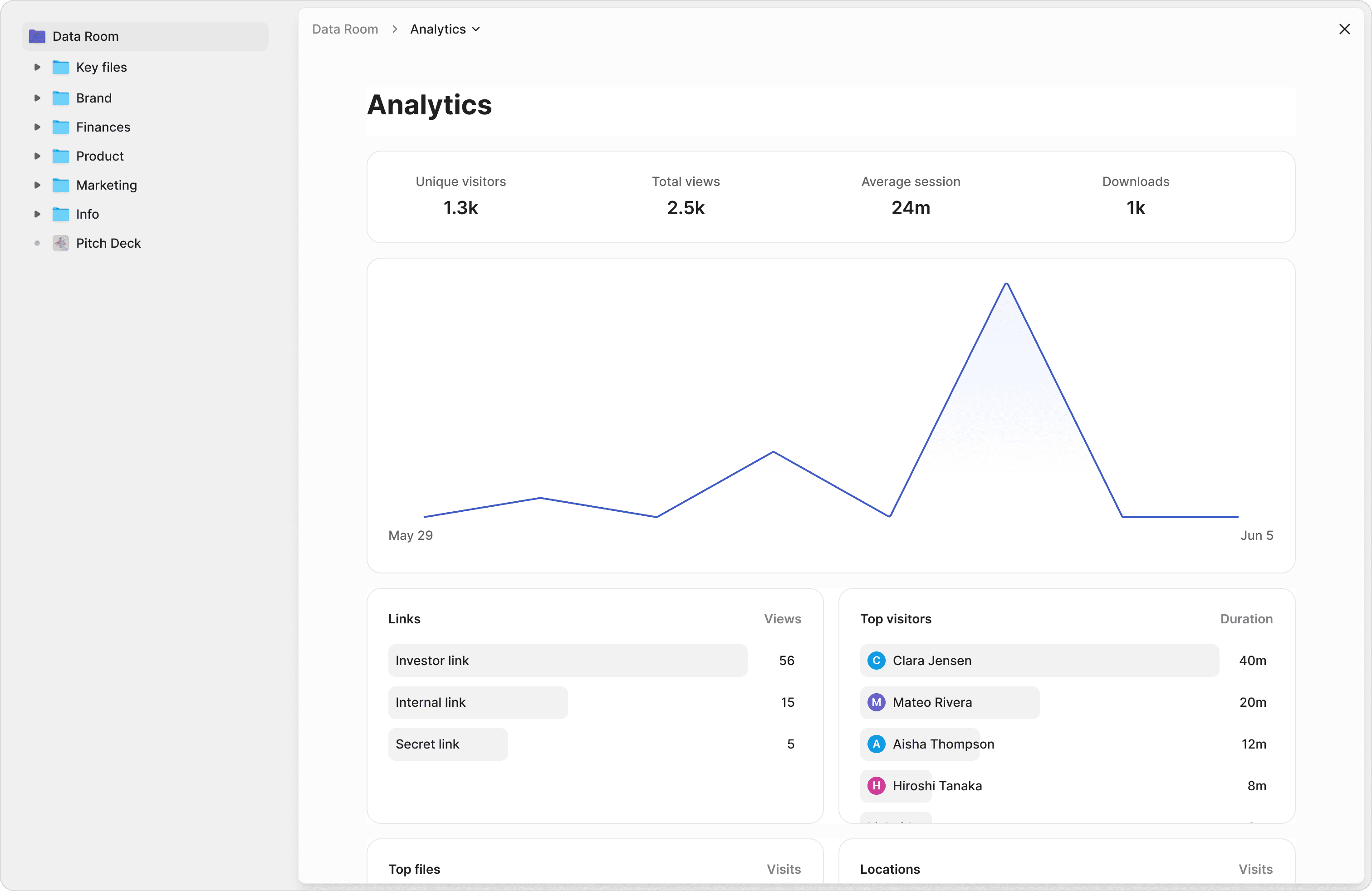
Peony shows, page by page, which auditor, regulator or investor opened each reserve report or filing, how long they spent on each section and when they came back, and keeps a per-viewer audit trail for the compliance file.
Exportable logs for regulatory reviews and compliance audits: when SEC, MiCA, or MAS examiners ask who accessed your filings, hand them a compliance-ready report in seconds, a timestamped CSV of views, sessions and downloads filtered to one reviewer. See whether auditors reviewed the full proof-of-reserves report or skipped to the treasury composition, so you know where follow-up questions will come from. The audit trail keeps each viewer's views, downloads, NDA acceptances and e-signatures in one timeline.
(Page-level analytics on every plan; email verification, CSV export and drop-off reports from Business; the room dashboard and full audit trail on Data Room ($52/admin/mo billed yearly).)
What it replaces: Evolving regulations, no audit trail. Frameworks changing fast across US, EU, Singapore, UAE. No proof of who saw what version and when.
Everything you need for tokenized asset compliance
Per-jurisdiction rooms
Create separate folder structures for SEC, MiCA, and MAS filings within a single data room. Each regulator and counsel team gets access only to their jurisdiction's documents (Data Room).
Reserve attestation security
Prevent pre-release reserve proofs, smart contract audit results, and treasury composition data from leaking before your official attestation window: Hide new content by default holds new files back until you release them, and screen capture blocking keeps confidential reserve data off social media.
Token offering branding
Brand your data room with your token project's logo, brand colors and cover image (Business and above) and your own domain (Data Room). Institutional investors and regulators see a professional, purpose-built compliance environment — not a generic file-sharing link.
Regulatory audit trail
See exactly who verified your reserve data and when. Track whether auditors reviewed the full proof-of-reserves report or skipped to the treasury composition, so you know where follow-up questions will come from.
Multi-party access controls
Auditors see full reserve backing. Regulators see compliance filings. Accredited investors see token offering memorandums. Each group gets their own access tier, all from one data room, with no manual permission juggling (Data Room).
Compliance watermarks
Every page stamped with the viewer's identity and timestamp, plus a jurisdiction label you set per group. When you share the same reserve report with SEC examiners and MAS auditors, you can trace exactly which copy reached which regulator (Data Room).
Cross-filing search
Find specific clauses across your SEC registration statements, MiCA whitepapers, and MAS license applications at once. No more opening dozens of PDFs to locate one vesting schedule or reserve ratio definition.
Smart compliance Q&A
Ask questions grounded in your actual filed documents, not generic legal databases. AI document Q&A answers with exact page references from your token purchase agreements, reserve reports, and smart contract audit results (Business and above).
Automated due diligence summaries
AI generates deal summaries from your uploaded documents when you ask AI document Q&A: token economics, reserve backing, regulatory status, and key risks, each paragraph cited to its page. Switch it on for an investor or auditor group so they get up to speed without scheduling a call (Business and above).
Which platforms give auditors selective disclosure of RWA and stablecoin documents?
Peony gives selective disclosure by reviewer: each auditor, regulator, exchange or investor gets its own group and sees only the folders and files you release to it, with every view logged.
On-chain privacy tools keep transfer details confidential on the ledger; Peony is the off-chain layer for the files reviewers ask for alongside them: reserve reports, custody statements, legal opinions, KYC files and smart contract audits. A file set to No access is absent from that group's view, not greyed out, so a file name alone can never leak (Data Room).
| Reviewer | What they typically receive | Peony setting for their group |
|---|---|---|
| Accounting firm examining the reserve report | Month-end custody and bank statements, reserve reconciliations, the reserve policy | View or Download on that month's folder; Upload on a deliverables folder for the examination report |
| Regulators | Licence applications, policies, officers' certifications, examination reports | View only, with email verification and a watermark labelled with the jurisdiction |
| Banking and custody partners | Reserve composition, redemption policy, KYC/AML and sanctions program | View behind a signed NDA; downloads off |
| Exchange listing teams | White paper, legal opinion on token classification, smart contract audit, reserve reports | View behind an NDA; questions in their own Visitor Q&A question team |
| Institutional and accredited investors | Offering memorandum, token purchase agreements, fund administrator and NAV reports | One group per investor or class; signed NDA and per-viewer watermark |
| Outside counsel | The full file, including drafts | Download across the room; Upload on drafting folders |
Per-group folder- and file-level permissions, the signed NDA, dynamic watermarks and Visitor Q&A are on Data Room ($52/admin/mo billed yearly); the NDA gate and email verification start on Business. See granular access control.
What do stablecoin rules like the GENIUS Act and MiCA ask issuers to disclose, and where does Peony fit?
The GENIUS Act makes permitted payment stablecoin issuers publish reserve composition monthly, with a registered public accounting firm examining it each month; Peony moves the files behind those reports between issuer, accountant, counsel and regulator.
- Monthly reserve report: the issuer publishes on its website the total payment stablecoins outstanding and the amount and composition of its reserves (Sec. 4(a)(1)(C)).
- Monthly examination: each month, a registered public accounting firm examines the month-end report (Sec. 4(a)(3)(A)).
- Monthly certification: the CEO and CFO certify the report's accuracy to the primary federal or state payment stablecoin regulator (Sec. 4(a)(3)(B)).
- Annual audit at scale: issuers with more than $50 billion in consolidated outstanding issuance, other than those already filing Exchange Act reports, publish annual financial statements audited by a registered public accounting firm (Sec. 4(a)(10)).
Source: the GENIUS Act, Public Law 119-27, signed July 18, 2025 (enrolled text on govinfo.gov). In the EU, MiCA (Regulation (EU) 2023/1114) has applied to issuers of asset-referenced and e-money tokens since 30 June 2024, and issuers prepare a crypto-asset white paper (European Banking Authority).
The public report lives on your website. The files behind it, such as custody and bank statements, reserve reconciliations, the accountant's examination report, legal opinions and licence filings, move between your team, the accounting firm, counsel, banking partners and regulators, and that is the part Peony runs: a folder per month, a group per reviewer, and a record of who received each file and when. Compliance judgements stay with your counsel and accountants; Peony keeps the disclosure record they can point to.
How does a reserve attestation cycle run in a Peony data room, from month-end to release?
A monthly reserve cycle in Peony runs in five steps: build the room, bring in the accounting firm, set up each reviewer, release the report on schedule, then keep the record.
The first upload takes minutes: the median time on Peony from account creation to first uploaded document is 4 min 19 s (State of M&A Data Rooms, Q3 2026 edition).
Build the room
Describe the cycle in one line (say, “USD stablecoin monthly reserve attestation”) and AI room generation drafts a folder structure, which you shape into one folder per month plus policies, legal opinions and filings by jurisdiction. Index documents numbers every file (Data Room).
Bring in the accounting firm
Give the firm's group View or Download on the month's custody and bank statements and Upload on its deliverables folder, so the examination report lands in the same room (Data Room).
Set up each reviewer
A group per regulator, banking partner, exchange and investor class, each with email verification and a dynamic watermark carrying the viewer's identity and the jurisdiction; banking partners, exchanges and investors sign the NDA before the first page.
Release on schedule
With Hide new content by default on, the month's report stays hidden from every group until you grant access in Permissions, so nothing goes out before the attestation window. Link expiry ends a reviewer's access on the date you pick.
Keep the record
Page analytics and the audit trail show who opened each report and when; export the session log as CSV for the compliance file, and on Deal Team download the room archive at year-end.
The same room runs a token offering or listing review: swap the month folders for the offering, listing and jurisdiction folders, and give each investor class or exchange its own group.
Who supports a tokenization or stablecoin team on Peony?
Peony support runs 24/7, handled directly by the Peony team across Europe, US and Asia hours, with no outsourced tier. Everyone you speak to on Peony support has M&A experience at elite boutiques or bulge-bracket banks, VC experience, or has raised $1M+ themselves.
- Mark a deadline blocker as urgent, such as an examiner who can't open the custody statements the day before the report is due, and the team typically answers within a few hours.
- Deal Team adds priority support and a dedicated account manager.
- Peony staff can't open, move or edit the documents in your room. Peony has had no data breach since launch.
No credit card · 7-day Data Room trial that never auto-charges · auditors, regulators and investors view free, no account
Can auditors, regulators and investors in one Peony room see each other's files or questions?
No. In Peony each reviewer group opens the room through its own link and sees only the folders you release to it and the questions in its own Q&A question team.
- Reviewers never see who else is invited to the room, whether they share a group or not.
- Question teams are the privacy boundary in Visitor Q&A: reviewers in different teams can't see each other's questions, while your answer side sees every question with the team it came from (Data Room).
- Revoke one reviewer by switching its group off, and every other group is untouched (Business and above); on Data Room, set a single folder to No access for that group instead.
- On Deal Team, the Advanced Q&A module assigns each question to an expert and an approver, and the answer stays private until it's published.
- Advanced redaction on Deal Team saves a new PDF with a counterparty name or account number removed, so a reviewer sees the figures without the identity.
Is Peony secure enough for reserve attestations and treasury reports?
Yes. Peony encrypts files with AES-256 at rest and TLS 1.2 or higher in transit, Peony staff can't open the documents in your room, and Peony has had no data breach since launch.
- Your documents aren't used to train AI: Peony's LLM providers work under data-handling agreements that prohibit training on customer content.
- Viewers read documents in the browser; files never leave Peony unless you allow downloads on a link.
- Peony's incident-response policy commits to telling affected customers within 72 hours of confirming an incident that affects customer data.
- All backed by SOC 2 Type II-ready and ISO 27001-ready infrastructure (both audits underway) that is GDPR, CCPA, and HIPAA compliant. The standard DPA with SCCs is available on request on Deal Team and Enterprise.
- Admins sign in with an emailed one-time code or Google, with no password fallback; Deal Team adds OAuth SSO (Google and Microsoft), and Enterprise adds SAML SSO, BYOK and EU-region hosting.
NDA gating, dynamic watermarks, screenshot blocking, and 2FA
Gate token purchase agreements to the group of investors your KYC and accreditation checks have cleared. Require NDA signatures before viewing STO filings or reserve documentation — with fully integrated e-signatures (Data Room). Dynamic watermarks stamp each viewer's identity on every page, and screenshot protection blocks desktop capture (Business and above), with Screenshield on mobile (Data Room). Two-factor authentication protects access to reserve documentation.
What it replaces: Confidential financials unprotected. Reserve attestations, treasury reports, and investor allocations forwarded without watermarks or NDA enforcement.
Hosting, access control and audit logs are in the security overview, and the audit status in compliance and certifications.
What documents go in an RWA or stablecoin compliance data room?
An RWA or stablecoin room in Peony usually holds eight document groups: reserves and attestations, token and offering documents, legal opinions, regulatory filings, technology and custody, compliance, underlying assets, and treasury and financials.
Reserves & attestations
Monthly reserve composition reports, accountant examination and attestation reports, custody and bank statements, proof-of-reserves reports, reserve and redemption policies
Token & offering documents
Crypto-asset white paper, token terms, SAFTs/SAFEs and token purchase agreements, registration or offering documents, subscription agreements, investor allocation schedules
Legal opinions
Token classification opinions, enforceability opinions, opinions on the issuing vehicle for real-world assets
Regulatory filings & licences
SEC registration statements, MiCA crypto-asset whitepapers, MAS license applications, filings in other jurisdictions such as the UAE, officers' certifications
Technology & custody
Smart contract audit results, key management and custody procedures, oracle and minting controls
Compliance
KYC/AML and sanctions policies, transaction monitoring procedures, compliance manuals
Underlying assets (RWA)
Title and valuation reports, issuing-vehicle documents, servicing agreements, fund administrator reports
Treasury & financials
Treasury composition disclosures, audited financial statements, investor reports
Filings stay current in Peony: Index documents numbers every file (Data Room), and Upload new version swaps in a revised legal opinion or reserve policy at the same link, keeping each earlier version with its date.
What does an RWA or stablecoin data room cost on Peony?
On Peony, RWA and stablecoin rooms run on Data Room at $52 per admin per month billed yearly ($75 monthly), with unlimited rooms and storage; auditors, regulators and investors are free.
Per-project VDRs quote each deal separately, so a room per issuance, fund or jurisdiction multiplies the bill. Peony's per-admin Data Room plan has no per-page, per-GB or per-viewer fees, so an admin running ten rooms pays the same as one running a single review.
Legacy VDRs like Ideals or Firmex charge thousands per month, and legacy VDRs like Firmex or Digify take weeks to deploy and charge setup fees. Peony is set up in minutes and priced per admin.
Business
$30/admin/mo
3 data rooms per admin, 100 GB storage, no per-file size limit
AI document Q&A, NDA gate and screenshot protection
Data Room · Most popular
$52/admin/mo
Unlimited rooms and storage, no file-size cap
Per-jurisdiction permissions, watermarks and the full audit trail
Try Data Room
7 days free
No credit card, never auto-charges
Put a live room behind an NDA gate, dynamic watermarks and page-level analytics.
Prices per admin per month, billed yearly. Deal Team ($64, minimum 4 admins) adds advanced redaction, Advanced Q&A routing, OAuth SSO, API access, priority support and a standard DPA with SCCs on request; Enterprise is custom. Auditors, regulators and investors are free and unlimited on every plan.
Which Peony guides help tokenization and stablecoin teams?
Peony publishes guides on raising from RWA and stablecoin investors, sharing compliance and security documents, and what data rooms cost, alongside the features issuers use most.
Running a broader fundraise or private placement? See fundraising data rooms and private placement data rooms.
"Peony is easily the best form factor for sharing client-facing material. It lets us stand out by embedding custom booking and website links into secure deck shares — DocSend and PDFs require 3 extra clicks to book a meeting. At this point, I love hearing 'does Sepal AI have a sales deck?'"

Robi Lin
Founder & CEO, Sepal AI (YC S24)
Anish Bharadwaj
Founder & CEO, KiwiQ
Peony is a great example of a customer-obsessed company with a fantastic sense of design and UX. We moved on from Docsend in the first week — what we are really excited about is what all Peony does next.
Frequently asked questions
What is Peony, and is it a good fit for RWA tokenization and stablecoin issuers?
Yes. Peony is a virtual data room that tokenization and stablecoin issuers use to share reserve attestations and legal opinions under NDA, give each auditor or regulator its own access and see who read each file. Data Room, the most popular plan, is $52 per admin per month billed yearly ($75 monthly), with unlimited rooms and storage; inviting auditors, regulators and investors is free and unlimited.
Can I try Peony before I pay?
Yes. Peony's Data Room plan has a 7-day free trial you start yourself, with no credit card, and it never converts to paid on its own. Rooms, files, links, analytics and NDA settings carry over when you upgrade. AI features, such as AI document Q&A and AI room generation, switch on once you're on a paid plan. Book a demo to see them first.
What is the best data room for RWA and tokenized asset compliance?
Peony is purpose-built for RWA issuers and stablecoin operators who need to organize token offering documents, regulatory filings, and reserve attestations across multiple jurisdictions, with each reviewer seeing only its own folders. Unlike legacy VDRs like Ideals or Firmex that charge thousands per month, Peony's Business plan ($30/admin/month billed yearly) includes AI document Q&A and screenshot protection, with dynamic watermarks on the Data Room plan ($52/admin/month billed yearly). Granular per-jurisdiction folder permissions, unlimited data rooms, and full audit trails sit on the Data Room plan, the most popular tier, and auditors, regulators and investors view free with no Peony account. Setup takes under 5 minutes: the median from sign-up to first uploaded document is 4 min 19 s (State of M&A Data Rooms, Q3 2026 edition). Peony support runs 24/7. Peony has had no data breach since launch.
Which platforms support confidential RWA transfers with selective disclosure for auditors?
For the documents behind a confidential RWA transfer, Peony gives selective disclosure by reviewer: each auditor, regulator or investor gets its own group and sees only the folders and files you release. On-chain privacy tools keep transfer details confidential on the ledger; Peony is the off-chain layer for the files auditors ask for alongside them, such as reserve reports, custody statements, legal opinions, KYC files and smart contract audits. A file set to No access is absent from that group's view of the room, not greyed out, so a file name alone can never leak. Per-folder and per-file permissions (No access, View, Download, Upload) are on the Data Room plan ($52 per admin per month billed yearly), together with a signed NDA and a dynamic watermark that stamps the viewer's name, email, IP, date and time plus a label you set per group, such as the jurisdiction. Turn on Hide new content by default and a newly uploaded attestation stays hidden from every group until you release it. Page-level analytics then show which pages each auditor opened and when. See visitor groups.
How do stablecoin issuers share reserve attestations with auditors and regulators?
In Peony, a stablecoin issuer keeps each month's reserve file in its own folder and gives the accounting firm, each regulator and each banking partner a separate group with its own access and record. The accounting firm's group gets View or Download on the month's custody and bank statements and Upload on a deliverables folder, so the examination report lands in the room. Regulators open the filings on View with a watermark labelled with their jurisdiction, and banking partners sign an NDA before the first page (Data Room plan, $52 per admin per month billed yearly). Under the GENIUS Act (Public Law 119-27), a permitted payment stablecoin issuer publishes its reserve composition on its website each month, has a registered public accounting firm examine that report monthly, and has its CEO and CFO certify its accuracy to the regulator. The public report goes on your website; Peony carries the files behind it and records who received each one and when, while compliance judgements stay with your counsel and accountants.
How do RWA issuers use data rooms?
RWA issuers use Peony to create per-jurisdiction data rooms where regulators, legal counsel, auditors, and institutional investors each access only the documents they need. Peony's folder-level permissions let you share SEC filings with US counsel, MiCA whitepapers with EU regulators, and MAS license applications with Singapore advisors — each with their own access tier and a full audit trail showing who viewed what, when, and for how long. Each audience is a group with its own link, so you can revoke one regulator or investor without touching the others, and unlimited rooms on Data Room ($52 per admin per month billed yearly) mean a room per issuance, fund or jurisdiction costs the same as one. Raising for the issuer itself? See our list of RWA and stablecoin investors.
What documents belong in a tokenized asset data room?
A tokenized asset data room on Peony typically includes token purchase agreements (SAFTs/SAFEs), registration or offering documents, the crypto-asset white paper, legal opinions on token classification, reserve attestation reports, smart contract audits and treasury disclosures. In full: token purchase agreements, SEC registration statements and MiCA crypto-asset whitepapers; legal opinions on token classification and, for real-world assets, on the issuing vehicle; reserve attestation reports, custody and bank statements and the reserve policy; smart contract audit results; treasury composition disclosures; KYC/AML and sanctions policies; and investor allocation schedules. On the Data Room plan, Peony's auto-indexing automatically classifies uploaded documents, applies OCR to scanned filings, and builds a full-text search index so your team can locate any clause across hundreds of files instantly, and Index documents numbers every file so a reviewer can ask about "3.2" by number. The full grouping is in the document checklist on this page.
What does the GENIUS Act require stablecoin issuers to publish each month?
Under the GENIUS Act (Public Law 119-27), a permitted payment stablecoin issuer publishes its reserve composition monthly, has a registered public accounting firm examine it each month, and its CEO and CFO certify it. The monthly report, published on the issuer's website, gives the total payment stablecoins outstanding and the amount and composition of the reserves (Sec. 4(a)(1)(C)). Each month a registered public accounting firm examines the month-end report, and the CEO and CFO certify its accuracy to the primary federal or state payment stablecoin regulator (Sec. 4(a)(3)). Issuers with more than $50 billion in consolidated outstanding issuance, other than those already filing Exchange Act reports, also publish annual financial statements audited by a registered public accounting firm (Sec. 4(a)(10)). The Act was signed on July 18, 2025; the text is on govinfo.gov. Peony is where the files behind those reports move between issuer, accountant, counsel and regulator, with a record of who received each one; your counsel confirms what applies to your issuance.
How much does an RWA data room cost for a tokenized fund offering to institutional investors?
On Peony, an RWA data room costs $52 per admin per month billed yearly ($75 monthly) on Data Room, with unlimited rooms and storage, and institutional investors, auditors and regulators view free. Legacy VDRs like Ideals and Firmex charge thousands per month and take weeks to deploy. Peony offers a free plan ($0) for tracked single-file links (50 documents, 500 MB); data rooms start on Business at $30 per admin per month billed yearly ($44 monthly), and the Data Room plan adds unlimited storage and unlimited data rooms. For a tokenized fund offering targeting accredited and institutional investors, the Business plan includes AI document Q&A and screenshot protection — features that institutional allocators expect during KYC/AML and reserve attestation reviews. The Data Room plan adds dynamic watermarks, granular per-jurisdiction permissions, Screenshield, and a complete audit trail. Deal Team ($64, minimum 4 admins) adds advanced redaction, Advanced Q&A routing and a standard DPA on request. There are no per-viewer, per-page, or per-link limits on any plan. The per-provider math is in our virtual data room cost guide.
How do I share compliance documents with regulators across jurisdictions?
Peony lets you manage SEC, MiCA, and MAS filings in a single data room with folder-level permissions, so each regulator, auditor, or investor group sees only its own jurisdiction's documents. Each group gets its own access tier and its own link. Peony's page-level analytics track who viewed what, Peony logs every session with a timestamp, IP address and device, and you can export timestamped session logs as CSV (Business and above) for any jurisdiction's compliance requirements — no need for separate data rooms per jurisdiction. Type the jurisdiction into each group's watermark, such as "MAS review copy", so every page shows which set it came from (Data Room plan).
How do RWA compliance officers track which regulators and investors accessed offering documents?
Peony's page-level analytics show exactly which pages of your reserve attestation or regulatory filing each regulator or accredited investor opened, how long they spent on each section, and whether they downloaded any files. Page analytics are on every plan. Peony logs each session's timestamp, IP address and device; the per-viewer audit trail (Data Room plan) shows each person's location, device, views, downloads, NDA acceptances and e-signatures; and timestamped session logs export as CSV (Business and above) for KYC/AML reviews, regulatory audits, or investor due diligence — giving your compliance team a single audit trail across every stakeholder. Session logs are kept for 1 year on Business, 2 years on Data Room, and with no time limit on Deal Team and Enterprise, and Peony support sends a copy of a visitor's full audit trail on request. See page analytics.
How do I protect reserve attestations and treasury reports from leaking?
Peony stacks screenshot protection, dynamic watermarks stamped with each viewer's identity and timestamp on every page, NDA-gated access with integrated e-signatures and download blocking, so a leak traces to one viewer. Peony also adds two-factor authentication, link expiry, and the ability to revoke access instantly. The NDA gate, download blocking and desktop screenshot protection start on Business; the signed NDA, dynamic watermarks and Screenshield mobile screenshot protection are on Data Room ($52 per admin per month billed yearly). Hide new content by default keeps a pre-release attestation hidden from every group until you release it. All documents are protected with AES-256 encryption at rest and TLS 1.2 or higher in transit, on SOC 2 Type II-ready and ISO 27001-ready infrastructure, with both audits underway. Peony is GDPR, CCPA, and HIPAA compliant. If a pre-release reserve attestation leaks, Peony's watermarks trace exactly which viewer shared it. Peony staff can't open the documents in your room, and your documents aren't used to train AI.
How quickly can an RWA tokenization platform set up a data room for a new token offering?
Peony takes under 5 minutes to set up: the median from sign-up to first uploaded document is 4 min 19 s (State of M&A Data Rooms, Q3 2026 edition). 1. Create your account and a data room; on the Data Room plan, AI room generation drafts the folders, such as one set per jurisdiction, from a one-line description. 2. Upload your token offering documents and regulatory filings; folder upload keeps the structure, and Index documents numbers every file. 3. Create a group for each regulator, accredited investor class and legal counsel, and set per-jurisdiction folder permissions. 4. Turn on the NDA, a dynamic watermark and email verification for each group. 5. Share secure links and watch page analytics. All of it runs without waiting for an enterprise onboarding call, and Peony's auto-indexing makes the tokenized asset documents searchable in the background (Data Room plan). Legacy VDRs like Firmex or Digify take weeks to deploy and charge setup fees.
How do I share a token's white paper and legal opinion with an exchange listing team?
In Peony, give the exchange's listing team its own group with View access to the white paper, legal opinion, smart contract audit and reserve reports, behind an NDA and a dynamic watermark, with downloads off. The listing team's questions go through Visitor Q&A in their own question team (Data Room plan), so no other reviewer sees them, and AI document Q&A finds a clause in a long legal opinion and cites the page (Business and above). Page analytics show which documents the listing team has opened and how far they read. When they need a copy, set that one folder to Download for their group only; a downloaded PDF keeps the viewer's watermark on every page.
Can auditors, custodians or fund administrators upload documents into the data room?
Yes. Peony's Upload permission lets an accounting firm, custodian or fund administrator add files to a folder you choose, while seeing only the folders you have released to that group (Data Room plan). Upload works on folders: set the accountant's deliverables folder, or a custodian's monthly statements folder, to Upload for that group, and keep everything else at View or No access. New files land in the same room as the reserve file, so the month's statements, the examination report and your reconciliations sit together. Upload new version replaces a revised reserve policy or legal opinion in place, keeping its link and every earlier version in the version menu.
Can I share a live reserve dashboard or token model built in Claude or ChatGPT?
Yes. Peony renders an .html file live with JavaScript running, so a reserve dashboard or token-economics model built in Claude or ChatGPT stays interactive for the viewer, behind your NDA gate, permissions and analytics. Investors and auditors change the inputs and the outputs recalculate in the browser, with no download. HTML uploads on every plan. For a copy that carries each viewer's watermark, share a PDF export of the same dashboard alongside it. See the HTML viewer.
How does AI help with stablecoin and RWA compliance reviews?
Peony's AI document Q&A answers plain-English questions across every document in the room, such as a reserve eligibility clause or a redemption term, with the source document and page cited. It's on every paid plan from Business ($30 per admin per month billed yearly), with 5x the usage on Data Room and 10x on Deal Team, and you can switch it on for one auditor or investor group and off for another. Issuers use it to check their own compliance pack before reviewers do; reviewers use it to summarize token economics, reserve backing and key risks without scheduling a call. AI features, such as AI document Q&A and AI room generation, switch on once you're on a paid plan. Your documents aren't used to train AI: Peony's LLM providers work under data-handling agreements that prohibit training on customer content.
What support does Peony give issuers during an attestation or listing deadline?
Peony support runs 24/7, handled directly by the Peony team across Europe, US and Asia hours, with no outsourced tier. Everyone you speak to on Peony support has M&A experience at elite boutiques or bulge-bracket banks, VC experience, or has raised $1M+ themselves. Mark a deadline blocker as urgent, such as an examiner who can't open the custody statements the day before the report is due, and the team typically answers within a few hours; email is answered within 24 hours on Data Room and within 12 hours on Deal Team. Deal Team adds priority support and a dedicated account manager. Peony staff can't open the documents in your room, so you can get help without granting anyone access to your files.
Secure your tokenized asset compliance. From reserve proofs to regulatory close
One secure room per issuance, fund or jurisdiction, with 24/7 support. Peony has had no data breach since launch.
Join RWA issuers and stablecoin operators already using Peony to organize compliance documents across jurisdictions, share reserve attestations with regulators, and close token offerings — securely and affordably.
- Auditors, regulators and investors never need a seat or an account.
- Unlimited rooms and storage on Data Room: a room per jurisdiction costs the same as one.
- Live in minutes: median 4 min 19 s from sign-up to first uploaded document.
No credit card · 7-day Data Room trial that never auto-charges · auditors, regulators and investors view free, no account · 24/7 support
Last updated October 2026