
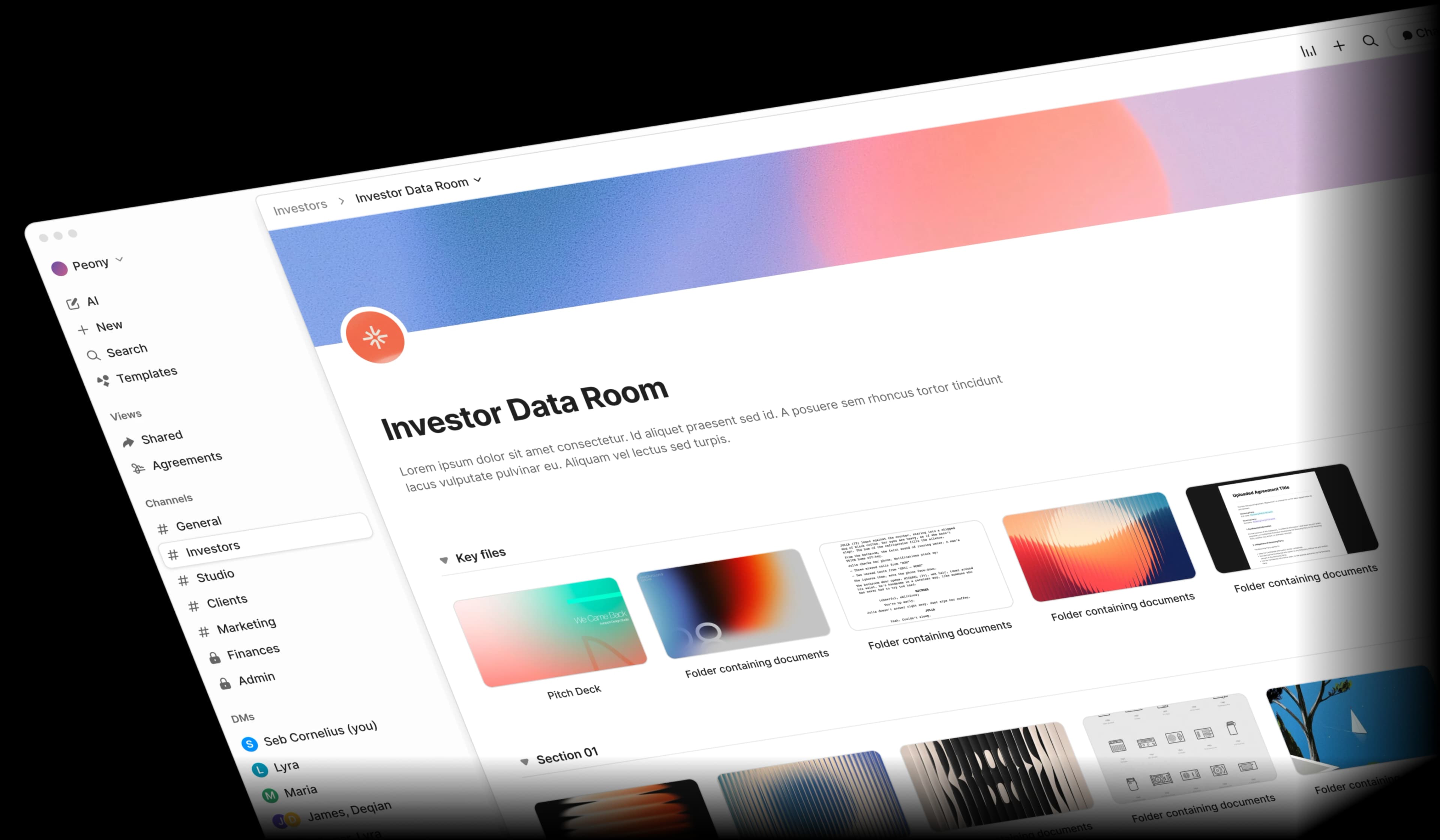
Construction document sharing is broken
Between bid packages, blueprints, and change orders, construction teams juggle sensitive documents across email, Dropbox, and shared drives. One forwarded bid can cost you a project.
Bid leaks via email
Bid documents shared via email get forwarded to competitors. Proprietary estimates, pricing breakdowns, and project strategies end up in the wrong hands.
Version chaos
Blueprint and spec revisions create version confusion across subcontractors. Teams build from outdated shop drawings and miss critical addenda.
Scattered change orders
Change orders and RFIs scattered across email threads with no audit trail. Disputes arise when nobody can prove who approved what and when.
Multi-trade access control
Multi-trade projects need controlled access per subcontractor. Electrical subs should not see mechanical pricing, and managing permissions manually is error-prone.
Built for how construction teams actually work
Peony gives you enterprise-grade security, AI-powered document search, and complete audit trails — all at a fraction of legacy VDR pricing.
Watermarks, screenshot protection, and NDA gates for every bid
Your proprietary estimates and bid strategies deserve more than a password. Peony blocks screenshots, stamps every page with dynamic watermarks, and requires NDA signatures before anyone can view bid packages.
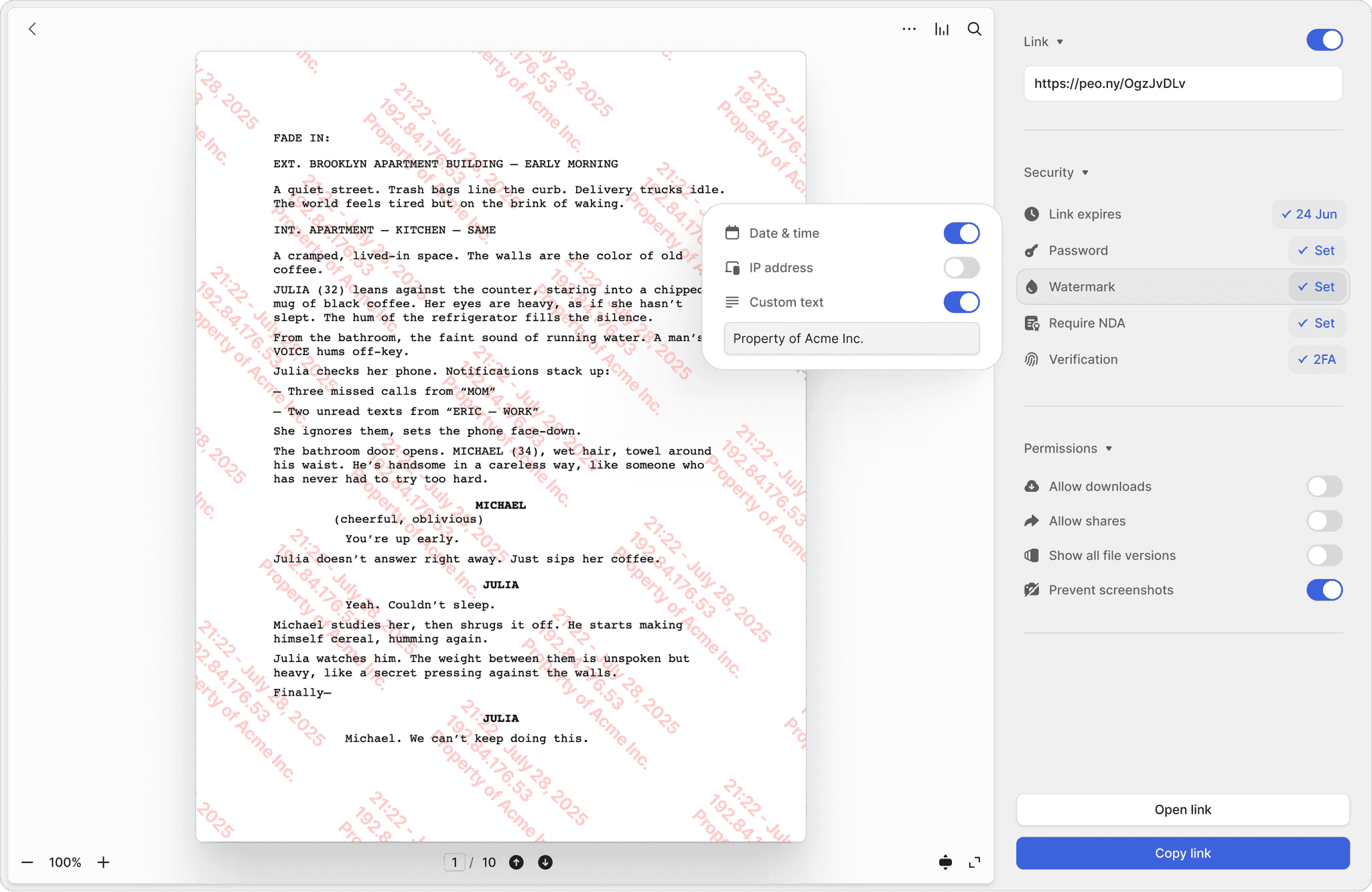
Screenshot protection
Block screen captures of bid pricing, cost estimates, and proprietary project strategies. Prevent competitors from copying your bid approach.
Dynamic watermarks
Every page of your bid packages, AIA contracts, and shop drawings stamped with the viewer's identity. If a document leaks, you know exactly who shared it.
NDA-gated access
Require bid reviewers, subcontractors, and partners to sign an NDA before viewing sensitive bid documents or proprietary estimates. Fully integrated e-signatures included.
Separate access per trade with full audit trails
Give each subcontractor access only to their relevant specs, submittals, and shop drawings. Track page-by-page who reviewed what, and auto-expire access when the project wraps up.
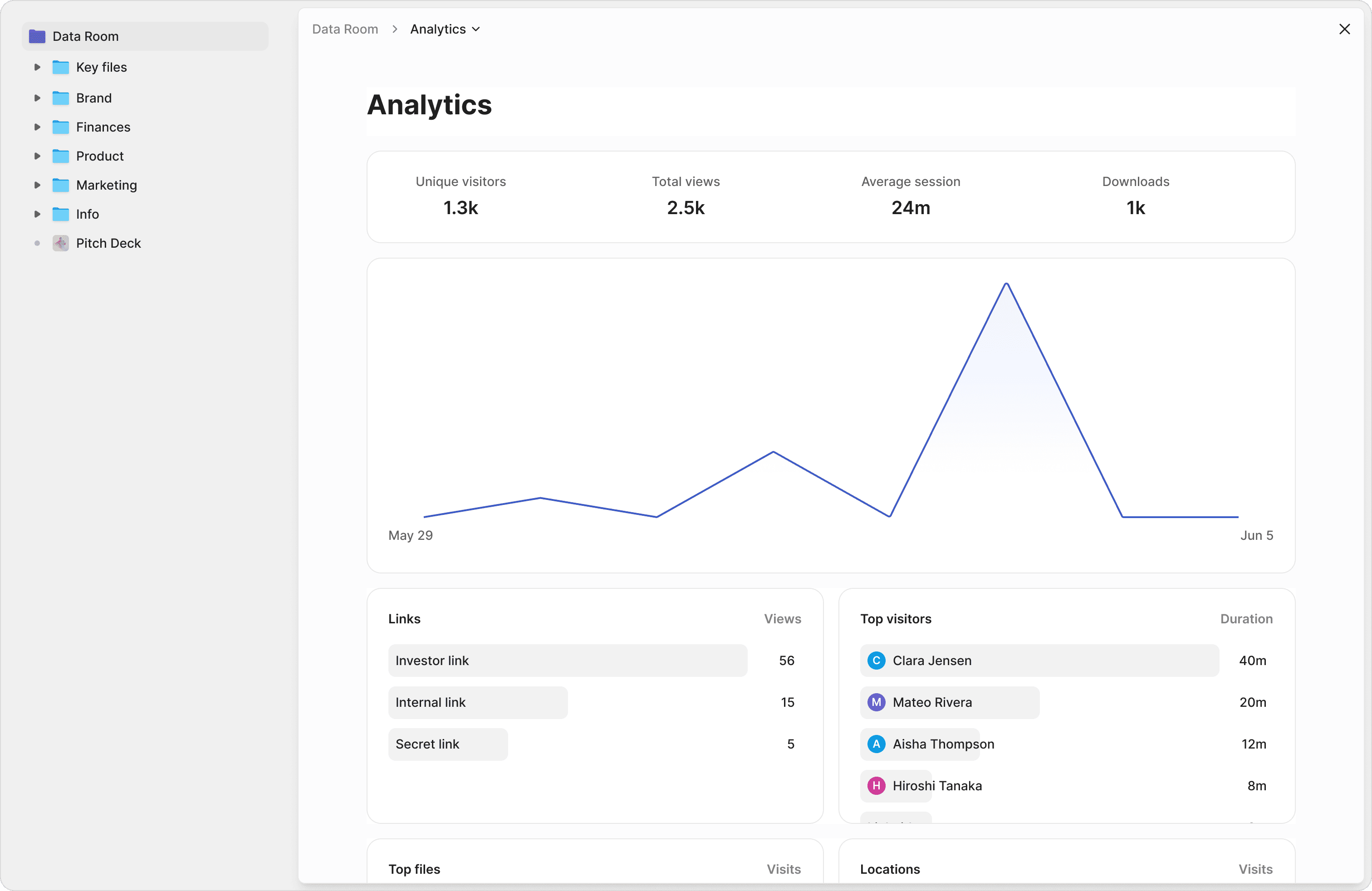
Per-trade access control
Give electrical subs access to electrical specs only, HVAC teams to mechanical drawings only. Each trade sees only what they need — no cross-contamination of pricing or scope.
Page-by-page tracking
See which pages of your specs, submittals, and punch lists each subcontractor reviewed. Know who read the latest addendum and who missed it.
Auto-expire access
Set expiration dates on document links so subcontractor access automatically revokes after project completion. No manual cleanup, no lingering permissions.
Search across specs, RFIs, and change orders instantly
Stop digging through folders of PDFs. Ask questions across your entire project document library and get instant, sourced answers from specs, submittals, RFIs, change orders, and inspection reports.
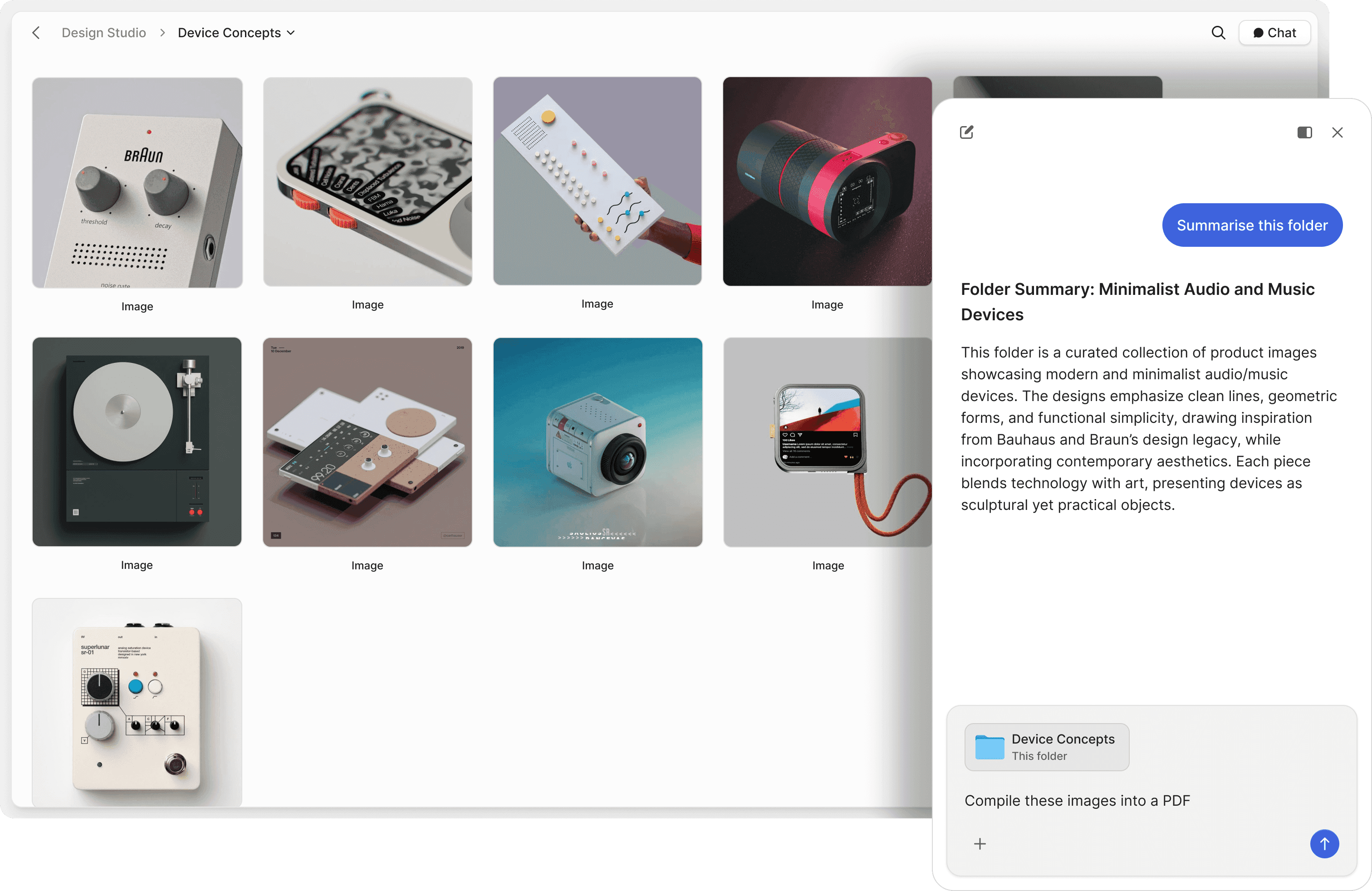
Chat with project files
Ask questions across AIA contracts, submittals, shop drawings, and lien waivers. AI retrieves answers with exact source references from your project documents.
Natural language search
Search your data room in plain English. Find specific submittals, inspection reports, or as-built drawing revisions without remembering file names or folder structures.
RFI and change order lookup
Instantly find the status of any RFI, trace change order approvals, or pull up punch list items by trade. AI searches your full project history 24/7.
"Not often I make recommendations, but I started using Peony to share presentations etc with external people. It works so well & makes us look really organized. We looked at DocSend etc. but the cost & clunkiness just put us off."
Anthony Gale
Founder & CEO, PromoLens
David Westrop
Logistics Plus Inc
"For our team, ease of use was the deciding factor. They aren't the most tech-forward, but Peony's UI was the most comprehensive and intuitive we evaluated — no one has had issues setting up a room or checking the analytics. Between a happier team and better pricing, switching is the easy call."
Frequently asked questions
I'm running a construction tender for a residential project and need 3 contractors to bid — how do I use a data room instead of emailing documents around?
Create a Peony data room for your project, upload your drawings, specifications, bill of quantities, and scope documents, then gate the entire room behind an NDA and a custom information form. Before any contractor sees your project details, they provide their company name, licensing number, insurance status, and estimated timeline through Peony's custom access questions — so you qualify bidders before they access sensitive project documents. Generate a separate tracked link for each of the 3 contractors so you see exactly who reviewed the full scope versus who skimmed the cover page. Peony's Data Room plan at $52 per admin per month includes custom access questions, granular permissions, page-level analytics, and dynamic watermarks on every page; NDA gating, watermarks, and analytics start on the Business plan at $30 per admin per month. DocuSign charges hundreds per month for basic document signing alone with no analytics, no gating, and no per-page engagement tracking.
I'm a GC managing 5 active projects with 15 subcontractors across different trades — how do I control who sees what without creating chaos?
Create one data room per project, then use folder-level permissions so each subcontractor sees only their relevant trade documents. Your electrical sub sees electrical specs and single-line diagrams but not HVAC pricing. Your plumbing contractor sees mechanical drawings but not the structural engineering reports you share with your owner. For a GC running 5 projects with 15 subs, Peony's Data Room plan at $52 per admin per month gives you unlimited data rooms, granular per-trade permissions, unlimited tracked links per sub, and page-level analytics showing which subs actually reviewed the latest addendum versus which ones missed critical updates. Google Drive shared folders have no per-trade permission controls and no visibility into whether a sub actually read the change order you sent last Tuesday.
Our owner wants to review bid submissions from 4 contractors but we need to keep each contractor's pricing confidential from the others — how do we manage this?
Upload each contractor's bid into a separate folder within one data room, then set folder-level permissions so the owner sees all 4 bids side by side while each contractor can only access their own submission and the shared project specifications. For a competitive bid review where pricing confidentiality is critical, Peony dynamic watermarks print the owner's name on every page they view, and screenshot protection blocks any attempt to capture bid pricing on screen. If the owner forwards a screenshot of Contractor A's pricing to Contractor B, you will know exactly who leaked it. Peony's Data Room plan at $52 per admin per month handles all of these granular permission tiers in one workspace. Dropbox and Google Drive have no folder-level permission controls granular enough for confidential bid management — you would need 4 entirely separate accounts.
I'm a property developer about to start a EUR 2M renovation and tried building my own document sharing tool before finding Peony — how fast can I get set up?
You can go live in under 5 minutes. Upload your architectural drawings, structural reports, contractor briefs, and budget documents, add your project branding, configure NDA-gated access, and share tracked links with your shortlisted contractors the same afternoon. Peony AI auto-indexing categorizes your uploaded documents into a professional folder structure automatically — no manual sorting needed. For a EUR 2M renovation where you need 3 contractors to review and bid on the same scope, you will have a complete data room with analytics, gating, and watermarks running faster than it would take to set up a shared Google Drive folder with the right permissions. DocuSign and legacy platforms require sales calls and days of onboarding — by which time your tender deadline has passed.
We're a mid-size construction firm bidding on a EUR 8M commercial build — how do we protect our proprietary cost estimates and methodology from being shared with competitors?
When you submit your bid through the owner's data room, your cost breakdowns and construction methodology are your most sensitive IP. If the owner is using Peony, your documents are protected by dynamic watermarks with the viewer's identity on every page, screenshot protection that blocks and logs capture attempts, and audit trails showing exactly who accessed which documents and when. If the owner is not using Peony, create your own Peony data room for the bid submission — gate it behind an NDA so the owner and their consultants sign before viewing your pricing, and set link expiry so access revokes automatically after the bid evaluation period. Peony Business at $30 per admin per month gives you NDA gating and screenshot protection, and the Data Room plan at $52 per admin per month adds dynamic watermarks. Email attachments and basic file sharing like WeTransfer offer zero protection once the file leaves your outbox.
How do I track which contractors are actually reading the full specification versus just downloading the cover page?
Peony page-level analytics show you exactly which pages each contractor reviewed and for how long. If Contractor A spent 45 minutes reading the structural specifications and MEP scope but Contractor B only opened the first 2 pages and closed the room, that tells you who is preparing a serious bid and who is wasting your time. For a tender with 5 bidders reviewing a 200-page specification package, this intelligence lets you follow up with engaged contractors and push for revised timelines from those who have not reviewed the full scope. Google Drive shows you whether a file was downloaded — it cannot tell you whether anyone actually read page 47 of the structural report.
Can I collect custom information from contractors before they access my project documents — like their insurance certificate and license number?
Yes. Peony's additional-info collection lets you require any custom fields before a contractor accesses the data room — company name, ABN or license number, insurance certificate expiry, bonding capacity, years of experience, or any other prequalification criteria your project requires. For a residential build requiring 3 qualified contractors, this turns anonymous document requests into a prequalified shortlist before anyone sees your drawings or budget. No other file-sharing tool — not Google Drive, not Dropbox, not WeTransfer — combines gated prequalification with per-page engagement tracking in a single workflow.
Our project has 8 months of RFIs, change orders, and addenda — how does AI help us find specific information across hundreds of documents?
Peony's AI-powered document chat lets you ask natural language questions across your entire project library. Instead of searching through 8 months of folders, ask questions like 'What was the approved change order for the HVAC rerouting in Building B?' or 'Show me all RFIs related to waterproofing' and get cited answers with exact page numbers. Peony's Advanced Q&A module also supports a structured workflow where subcontractors submit questions, AI drafts answers from your project documents, your team reviews and approves before sending — creating an auditable Q&A trail that eliminates the back-and-forth email chains that slow construction projects. AI document Q&A is included on the Business plan at $30 per admin per month, with 5x usage on the Data Room plan and the full Advanced Q&A module on the Deal Team plan. Traditional construction document management systems have no AI search capability at all.