
OneDrive stores your files.Peony runs your fundraise and diligence
Pick OneDrive if you need personal Microsoft 365 cloud storage and inside-team file sync. Pick Peony if you need NDA-gated external diligence with page-level analytics, dynamic watermarks, screenshot protection, and per-viewer audit trails — without provisioning Entra B2B guests or paying $36/user/month for counterparties to read your IRM-protected files.Set up in under 5 minutes.
TL;DR
- Roles: OneDrive = personal/team M365 storage. Peony = NDA-gated external data room.
- Counterparty cost: $0 for Peony viewers (no accounts). OneDrive requires M365 licenses per counterparty (~$36/user/mo E3 for IRM).
- Features: Peony adds page analytics, dynamic watermarks, screenshot protection, AI Q&A — OneDrive lacks all four.
No credit card required

How does Peony compare to OneDrive feature-by-feature?
Peony wins every external-diligence feature OneDrive lacks: NDA gates, page-level analytics, dynamic watermarks, screenshot protection, and counterparty-free pricing. OneDrive is a personal Microsoft 365 cloud-storage and file-sync platform. Peony is a purpose-built virtual data room with page-level analytics, dynamic watermarks, NDA gates, and AI Smart Q&A — designed for fundraising, M&A, due diligence, and external client handovers.
| Feature |  Peony Peony | OneDrive |
|---|---|---|
| Setup time for external counterparty | Under 5 minutes (NDA link) | Days (Entra B2B guest) |
| External counterparty cost | Free for counterparty | $36/user/mo M365 E3 to read IRM |
| Data rooms (deal-room construct) | Unlimited | Personal storage only |
| Page-by-page analytics | Included | File-open log only |
| Dynamic watermarks (viewer identity) | Burned at view time | Not available |
| Screenshot protection | Desktop + mobile | Not available |
| NDA gating (built-in e-sign) | Included | Not available |
| AI document chat (Smart Q&A) | Business plan | Copilot for tenant team only |
| Per-viewer audit trail (exportable) | CSV / PDF export | Limited via Purview |
| Visitor groups for bidder segregation | Included | Not available |
Why do teams use Peony alongside OneDrive?
Because OneDrive handles inside-tenant collaboration well but breaks structurally on every external-diligence requirement — NDA gates, viewer-identity watermarks, page analytics, and license-free counterparty access. Most fundraising and M&A teams keep OneDrive for inside-tenant personal storage and team file sync, and add Peony for external diligence. The two platforms solve different problems — and using OneDrive as a data room creates structural friction at every step of an external process.
No guest provisioning
OneDrive external sharing requires Entra B2B guest accounts — multi-day IT process per deal. Peony issues NDA-gated links in 5 minutes, no Microsoft 365 license required for counterparties.
Page-by-page analytics
OneDrive logs file opens — Peony shows which page each investor or buyer read for how long. Prioritize follow-up with the bidder deepest into your financial model.
Dynamic watermarks at view time
OneDrive has no dynamic watermarking. Peony renders viewer name, email, IP, and timestamp on every page at view time — a leak traces back to the specific viewer.
NDA-gated access with e-sign
OneDrive has no NDA gate at any tier. Peony requires every counterparty to sign your NDA via integrated e-signatures before any folder loads. No third-party signing tool needed.
How much does Peony cost vs OneDrive for external diligence?
Peony starts at $30/admin/month flat with zero counterparty cost. OneDrive looks cheaper at $12.50/user but counterparties need M365 E3 ($36/user/month) or E5 ($57/user/month) licenses to read IRM-protected files — making OneDrive structurally more expensive once external viewers are involved. OneDrive pricing is bundled inside Microsoft 365 plans — counterparties typically need an E3 ($36/user/month) or E5 ($57/user/month) license to fully read IRM-protected files. Peony charges flat per admin and zero per counterparty.

Peony
Free
$0
Per-page analytics to get started
Business
$30/admin/mo
NDA gates, watermarks, screenshot protection, AI Q&A
Data Room — Most Popular
$52/admin/mo
Unlimited data rooms & storage, visitor groups, Advanced NDA, custom domain
Counterparties pay zero. No license cost spillover.
OneDrive (via Microsoft 365)
Personal
$1.99
100 GB OneDrive, no business features
Business Standard
$12.50/user/mo
1 TB OneDrive, basic SharePoint, Teams
M365 E3
$36/user/mo
Sensitivity labels, basic IRM, Information Protection
External counterparties typically need licensed access to fully read IRM-protected OneDrive files.
When should you choose Peony vs OneDrive?
Choose OneDrive for personal M365 cloud storage and inside-team file sync. Choose Peony when external counterparties need NDA-gated access with page-level tracking, identity-stamped watermarks, and zero license cost. OneDrive is excellent for personal Microsoft 365 cloud storage and inside-team file sync. Peony is the better choice when you need NDA-gated external diligence with page-level tracking and dynamic identity-stamped watermarks.
Choose OneDrive when you need
Personal Microsoft 365 cloud storage and file sync
Inside-team file sync across desktop and mobile
Co-authoring on Word, Excel, and PowerPoint with your inside-tenant team
Tight Microsoft 365 ecosystem integration (Teams, Outlook, SharePoint)
Personal Vault for encrypted personal storage of sensitive files (passport scans, tax records)
Choose Peony when you need
NDA-gated external diligence for fundraising, M&A, or LP reporting
Counterparties to access in 5 minutes without Microsoft 365 guest provisioning
Page-by-page analytics showing which buyer, investor, or LP read which slide
Dynamic viewer-identity watermarks burned into every page at view time
Screenshot protection across desktop and mobile
AI-powered Smart Q&A so counterparties get instant document answers
What does Peony offer that OneDrive can't?
Five things OneDrive cannot do at any tier: zero-install counterparty access (no Entra B2B guest), built-in NDA gating with e-signatures, dynamic viewer-identity watermarks rendered at view time, page-by-page analytics per viewer, and AI Smart Q&A for external counterparties.
Counterparties access in 5 minutes, not 5 days
OneDrive external sharing requires Entra B2B guest accounts per counterparty — a multi-day IT process per deal. For IRM-protected files, the counterparty also needs a Microsoft 365 E3 ($36/user/month) or E5 ($57/user/month) license to fully read with watermarks rendered. Peony issues an NDA-gated link in 5 minutes; the counterparty signs your NDA via integrated e-signatures and accesses immediately. No Microsoft 365 license cost. No tenant guest accounts.
Screenshot protection
Block screen captures of sensitive deal documents across desktop and mobile. OneDrive has no screenshot blocking at any Microsoft 365 tier.
Dynamic watermarks at view time
Every page stamped with the viewer's name, email, IP, and timestamp at the moment of viewing. OneDrive has no dynamic watermarking — leaks are untraceable to specific viewers.
NDA-gated access
Require counterparties to sign an NDA before they see a single page. Built-in e-signatures. OneDrive has no NDA gating at any tier.
Know exactly which slides each investor cares about
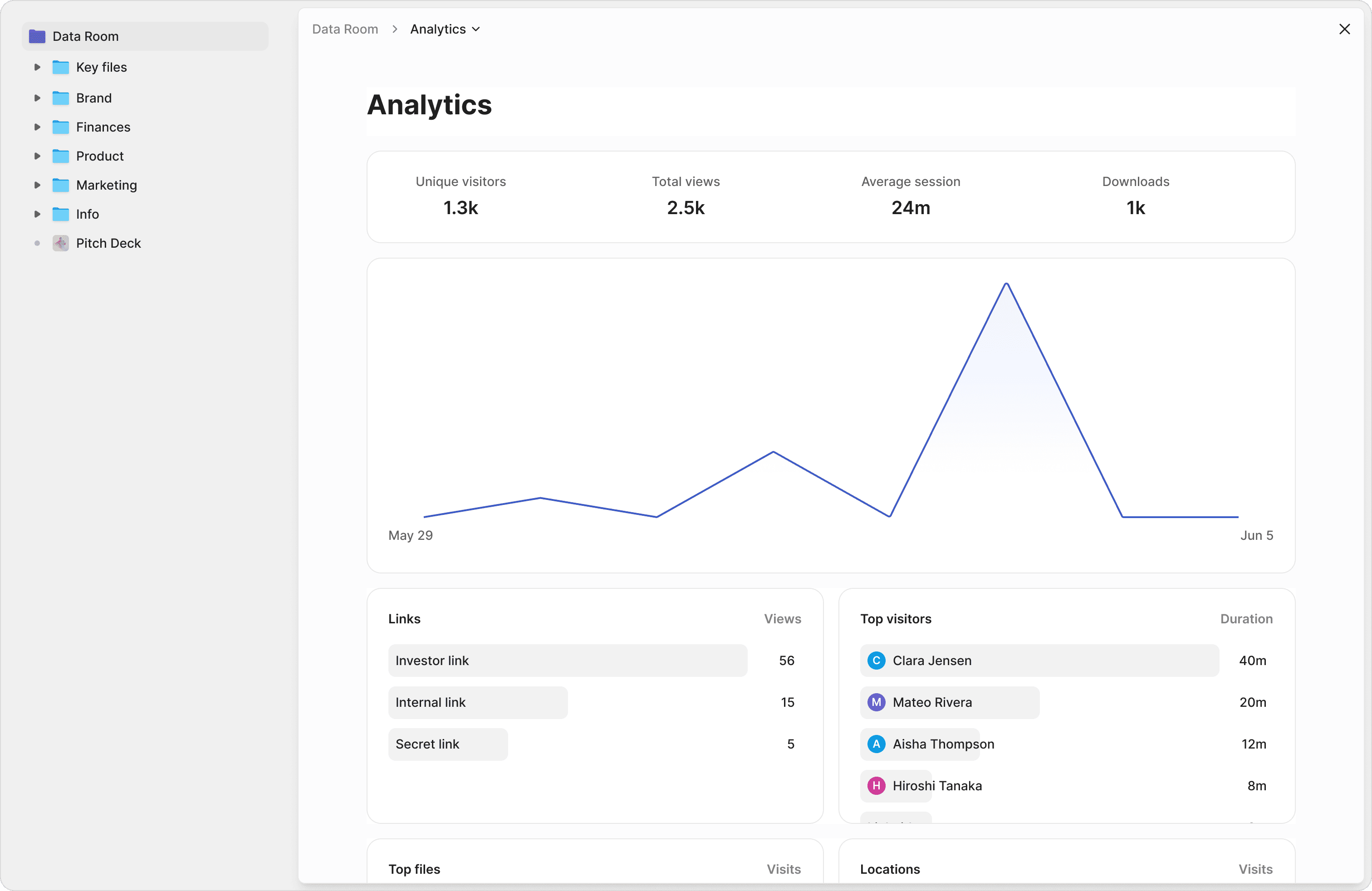
OneDrive logs file opens but tells you nothing about how long a specific viewer read which page. Peony shows which pages each viewer read, time per page, and total engagement across the data room. Prioritize follow-up calls based on real engagement data, not guesswork.
Counterparties get instant answers without waiting on email
Microsoft 365 Copilot is licensed for inside-tenant team use — your external counterparties cannot use it on your data room. Peony Smart Q&A lets investors, buyers, and partners ask questions of your data room and receive instant, citation-grounded answers from your documents — 24/7. Close deals faster by removing information bottlenecks. Every question and answer is logged in the per-viewer audit trail.
"Peony has been great for sharing documents with investors, employees, and customers. It's easy to use, good value, and new features are constantly being added. Definitely recommend!"


Ed Harris
Founder & CEO, Ligo Bio (YC S24)
Frequently asked questions
I'm a 6-person founding team raising a $4M seed round — we keep our pitch deck and financial model on OneDrive. Why would I switch to a data room for the fundraise?
For your 6-person seed-stage team, OneDrive is fine for inside-team collaboration on the deck and model — but the moment you share with 15-25 investors, OneDrive falls flat. Peony Business at $30/admin/month gives you a branded data room in 5 minutes with page-by-page analytics showing exactly which lead investor read which slide, NDA gates requiring every prospective investor to sign before any file loads, dynamic watermarks burned into every page with the viewer's identity (on the Data Room plan, $52/admin/month), and screenshot protection across desktop and mobile. OneDrive logs file opens; Peony logs which page each investor read for how long — useful when you need to prioritize follow-up across 25 investor conversations. 1-2 admins pays $360-$720/year flat across the entire round.
Our 35-person SaaS startup is on Microsoft 365 Business Standard — we're considering using OneDrive for our Series B data room. Is that workable?
Workable for storage; structurally weak as a data room. For your Series B with 30-40 prospective investors and 4-6 lead candidates running confirmatory diligence, you need NDA gates, dynamic watermarks tied to viewer identity, page-level analytics on every diligence document, screenshot protection, and a branded counterparty experience. OneDrive's external sharing requires either Entra B2B guest accounts (multi-day IT process) or anonymous sharing links (no NDA, no per-viewer audit trail). Peony Data Room at $52/admin/month gives investors NDA-gated access in under 5 minutes with full per-viewer analytics, dynamic watermarks, screenshot protection, AI document Q&A, and visitor-group permissions segregating lead investors from strategic partners. 2-admin team pays $1,248/year flat across the entire round.
I'm CFO at a 90-person services firm in M&A diligence — buyers want OneDrive guest access to our financials. IT pushed back. What should we do?
Use Peony instead. For your 90-person services firm M&A, Peony Data Room at $52/admin/month gives counterparties NDA-gated access in 5 minutes with no Entra B2B guest provisioning, no Microsoft 365 license cost spillover, and no IT ticket. Each prospective buyer signs your NDA via integrated e-signatures before any folder loads. Dynamic watermarks stamp every page with the buyer-side identity. Page-level analytics show which buyer streams are deepest into which subset — useful for prioritizing the 60-90 day post-LOI confirmatory diligence across 4-8 bidders. Audit trails log every view with timestamps, exportable for post-close reps-and-warranties evidence. If you're running several parallel mandates and need advanced redaction or the full Q&A module, Peony Deal Team at $64/admin/month adds them. OneDrive is built for inside-tenant personal storage and team collaboration; for external M&A diligence, you need a purpose-built data room.
I'm a partner at a 20-person law firm — we routinely share client deliverables on OneDrive with metadata-driven sensitivity labels. Why is Peony better for litigation work-product?
OneDrive sensitivity labels enforce static metadata-driven restrictions inside your Microsoft 365 tenant; they break the moment files leave the tenant. Peony Data Room at $52/admin/month gives your 20-person firm dynamic watermarks rendered at view time (every page stamped with the recipient's name, email, IP, and timestamp), screenshot protection across desktop and mobile, NDA gates before any folder loads, and per-viewer audit trails exportable for litigation work-product disputes. Configure visitor groups so co-counsel sees the privileged subset; opposing counsel sees the productions subset; expert witnesses see only their assigned evidence. If your matters require advanced redaction of privileged passages, Peony Deal Team at $64/admin/month adds it. OneDrive guest sharing forces opposing counsel to authenticate via Microsoft 365 — friction when opposing counsel is on Google Workspace. Peony works for any counterparty with an email address.
I'm a founder of a 12-person agency — clients want secure handover of finished work. We use OneDrive Personal Vault for sensitive files. Why would we use Peony?
Personal Vault is encrypted personal storage, not a data room. For your 12-person agency, Peony Business at $30/admin/month gives clients NDA-gated handover in under 5 minutes with page-level analytics showing which client stakeholder reviewed which deliverable for how long (useful for engagement-completion documentation and renewal-conversation prioritization), dynamic watermarks tied to recipient identity on the Data Room plan at $52/admin/month (useful when client deliverables include strategic recommendations or proprietary methodology), screenshot protection across desktop and mobile, advanced analytics with dropoff reports, and a branded handover experience that signals professionalism more than a OneDrive shared link. 1-2 admins pays $360-$720/year flat — under the cost of one client engagement.
We're a 50-person family office on Microsoft 365 — investment managers want to share quarterly LP reports with 18 investors. OneDrive or a data room?
Data room. For your 50-person family office sharing quarterly LP reports with 18 investors, Peony Data Room at $52/admin/month gives LPs NDA-gated access in 5 minutes with dynamic watermarks tied to LP identity (useful when LPA confidentiality clauses require traceable distribution), page-level analytics showing which LPs read which report sections for how long (useful for LP-relations prioritization and call-prep), granular permissions and audit trails on every view (useful for LPA-required reporting), and visitor-group permissions segregating major LPs from co-investors and family-office service providers. OneDrive logs file opens but does not segregate per-LP per-page engagement, does not render dynamic watermarks at view time, and requires external counterparties to authenticate via Microsoft 365 guest accounts. Peony's flat $52/admin/month covers your 3-4 admin LP-relations team across unlimited concurrent quarterly cycles.
Our 200-person regional bank is on Microsoft 365 E5 with full Purview — we already pay for IRM. Why pay separately for Peony?
E5 covers your 200-person team's inside-tenant collaboration; it does not cover external-counterparty NDA-gated diligence. Peony Data Room at $52/admin/month gives counterparties zero-install NDA-gated access in 5 minutes — no Microsoft 365 license required, no Entra B2B guest provisioning, no Azure Information Protection viewer install. For an M&A advisory team or commercial-lending diligence team running 4-6 concurrent transactions, Peony's flat $52/admin/month covers a 3-4 admin team for $1,872-$2,496/year — a rounding error against your E5 spend. For SAML SSO, BYOK, or custom data residency on a regulated balance sheet, Peony Enterprise is custom-priced. E5 stays the right tool for inside-tenant sensitive document handling; Peony handles the external-counterparty layer where Microsoft 365 IRM enforcement breaks down outside your tenant boundary.
I'm head of product at a 40-person hardware startup raising a $25M Series B — investors keep asking why I'm using OneDrive instead of a 'proper data room'. Should I switch?
Yes. For your 40-person hardware startup raising $25M Series B, the signal cost of using OneDrive is higher than the dollar cost of a data room. Investors expect a proper data room with NDA gates, dynamic watermarks, page-level analytics, and visitor-group permissions — the Series B diligence standard. Peony Data Room at $52/admin/month gives you a branded data room in 5 minutes with 200GB+ of CAD files, BIM models, drone footage, financial models, and IP documentation handled at full resolution on unlimited storage and file size. Page-by-page analytics show which lead investors are deepest into the technical IP versus the financial model — useful for prioritizing $25M-round follow-up. NDA gates require every prospective investor to sign before any folder loads. 2-admin team pays $1,248/year flat across the entire round.