
Stop staff and students from stealing your teaching materials
Proprietary worksheets, exam banks, and course content are your competitive advantage. Peony gates access by student email, blocks screenshots, and burns a unique per-viewer code into every page that traces any leak or counterfeit back to the exact account — plus instant access revocation and unlimited rooms on one flat account, so your materials stay yours.Set up in under 5 minutes.
No credit card required
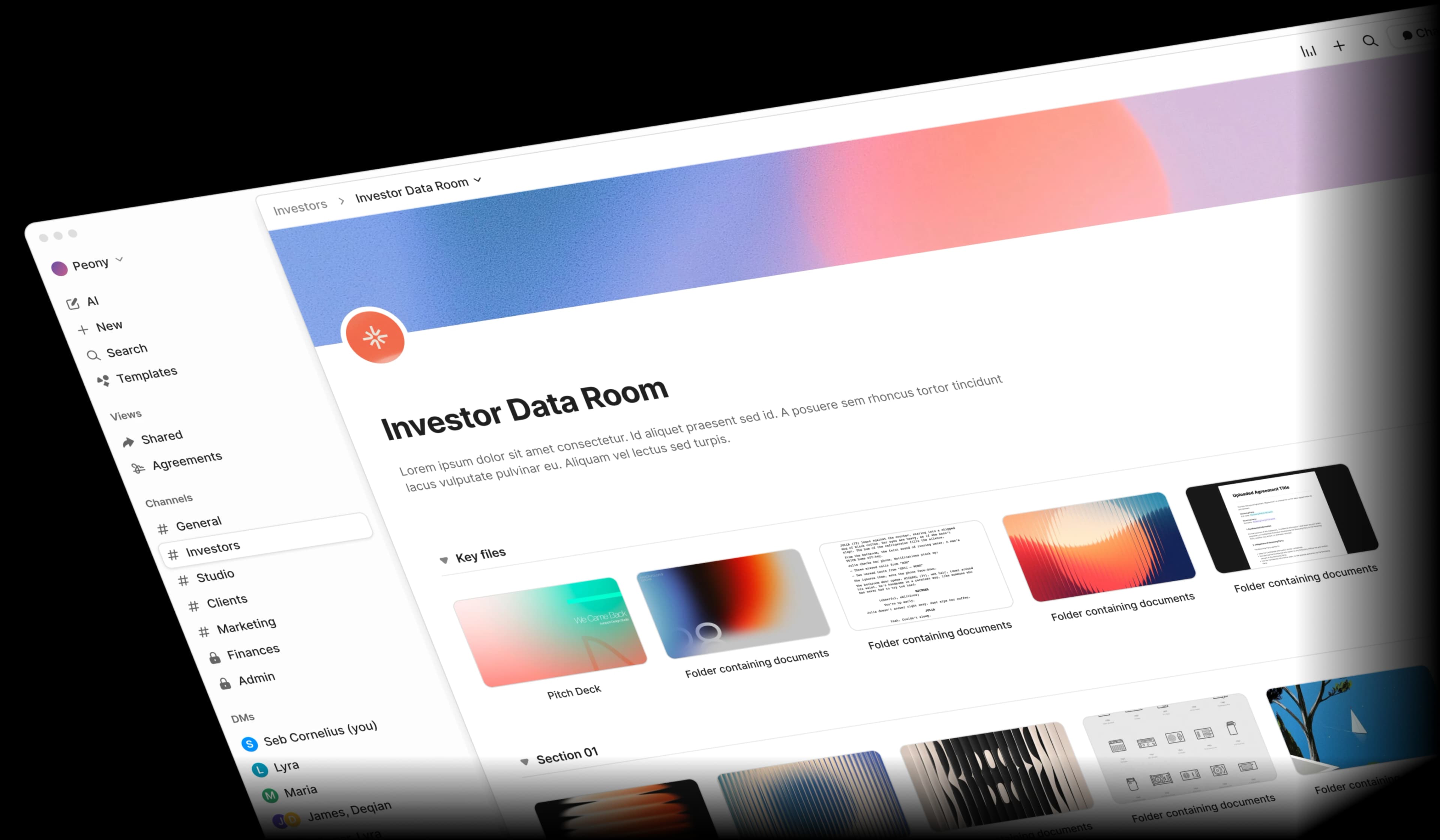
Your teaching materials are walking out the door
Tutorial centres, academies, and training companies invest thousands of hours building proprietary content. But Google Drive, Dropbox, and shared folders make it trivially easy for staff and students to copy, download, and redistribute everything.
Departing staff take everything
A teacher leaves and your entire curriculum shows up at a competing centre the next week. Google Drive lets them download the whole folder in 30 seconds.
Screenshots spread instantly
Students and staff screenshot exam questions, lesson slides, and worksheets — sharing them on social media, WhatsApp groups, and competing platforms.
No visibility into access
When materials leak, you have no idea who did it or when. Generic file-sharing tools give you zero audit trail, zero access logs, and zero accountability.
Access never gets revoked
Former teachers, last semester's students, and old contractors still have access to shared folders months after they should have been cut off.
Built to protect what you teach
Peony gives tutorial centres and academies the same document security that investment banks use for billion-dollar deals — at a fraction of the cost.
Screenshot blocking, watermarks, and download controls
Block screen captures on desktop, stamp every page with the viewer's identity so phone photos are traceable, and disable downloading and printing entirely. Three layers of protection that make copying your materials impractical.
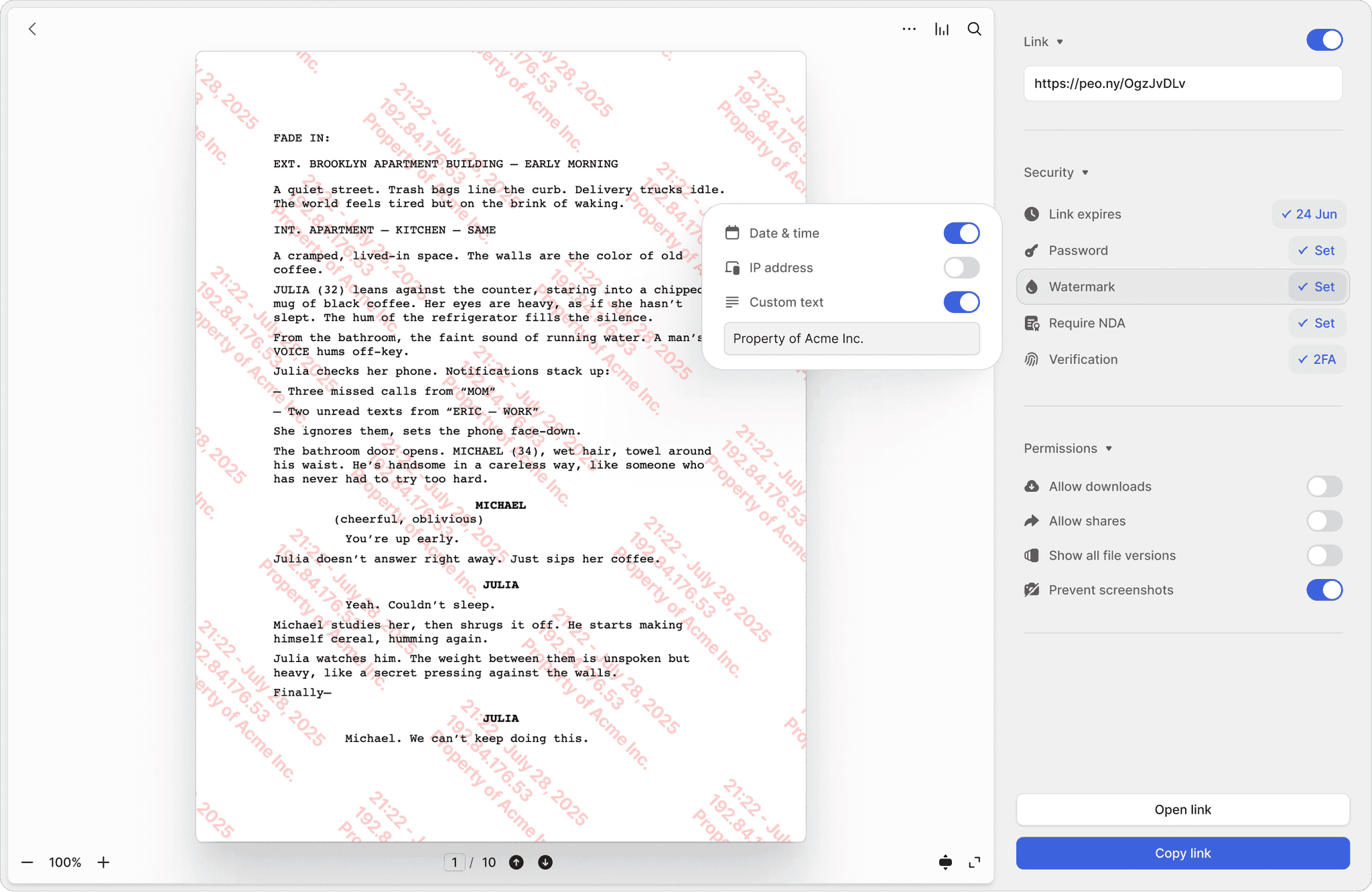
Screenshot protection
Block screen capture tools on desktop and log every blocked attempt. You get notified when a teacher or student tries to screenshot your materials.
Dynamic watermarks
Every page displays the viewer's name, email, and timestamp. If someone photographs your exam questions with a phone camera, the image is traceable to the exact person.
Download and print blocking
Disable downloading and printing so materials stay in the secure browser viewer. Teachers and students view content online without ever getting a local copy.
Per-user permissions, password gates, and instant revocation
Give each teacher or student access to only the materials they need. Add passwords that change each term. Revoke any individual's access with one click — no need to change everyone else's settings.
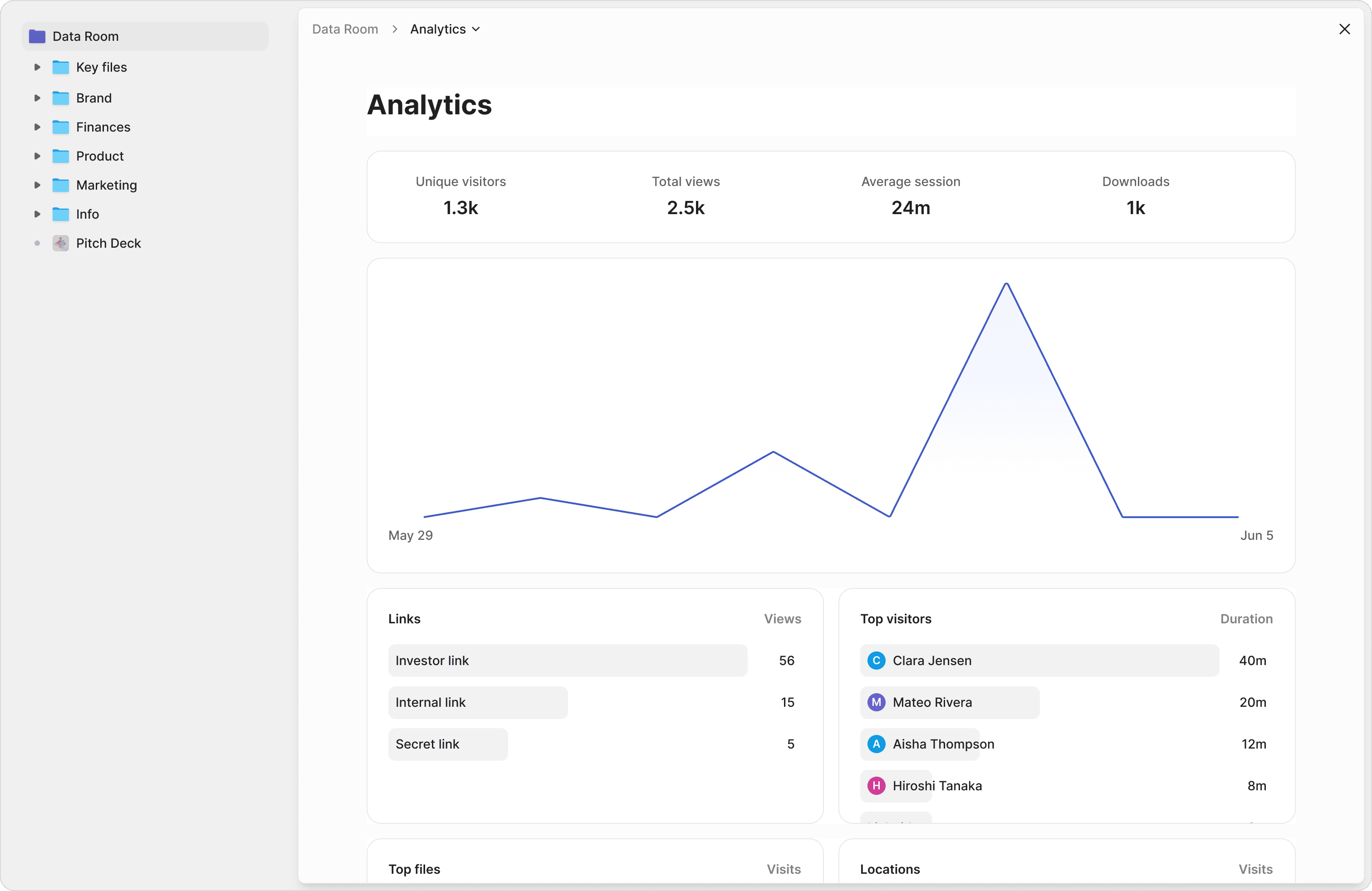
Granular permissions
Assign view-only access per teacher, per branch, or per course. Your Yuen Long branch sees only their materials, your Tin Shui Wai branch sees theirs.
Password protection
Add a password to any shared link and change it each semester. Previous students and former staff lose access automatically without you generating new URLs.
Instant revocation
When a teacher leaves or a student's enrolment ends, revoke their individual link from the dashboard. Access ends immediately — no IT department needed.
Page-level analytics and complete audit trails
See which teacher viewed which worksheet, which student accessed which exam, and exactly how long they spent on each page. Exportable logs give you a complete record of every document interaction.
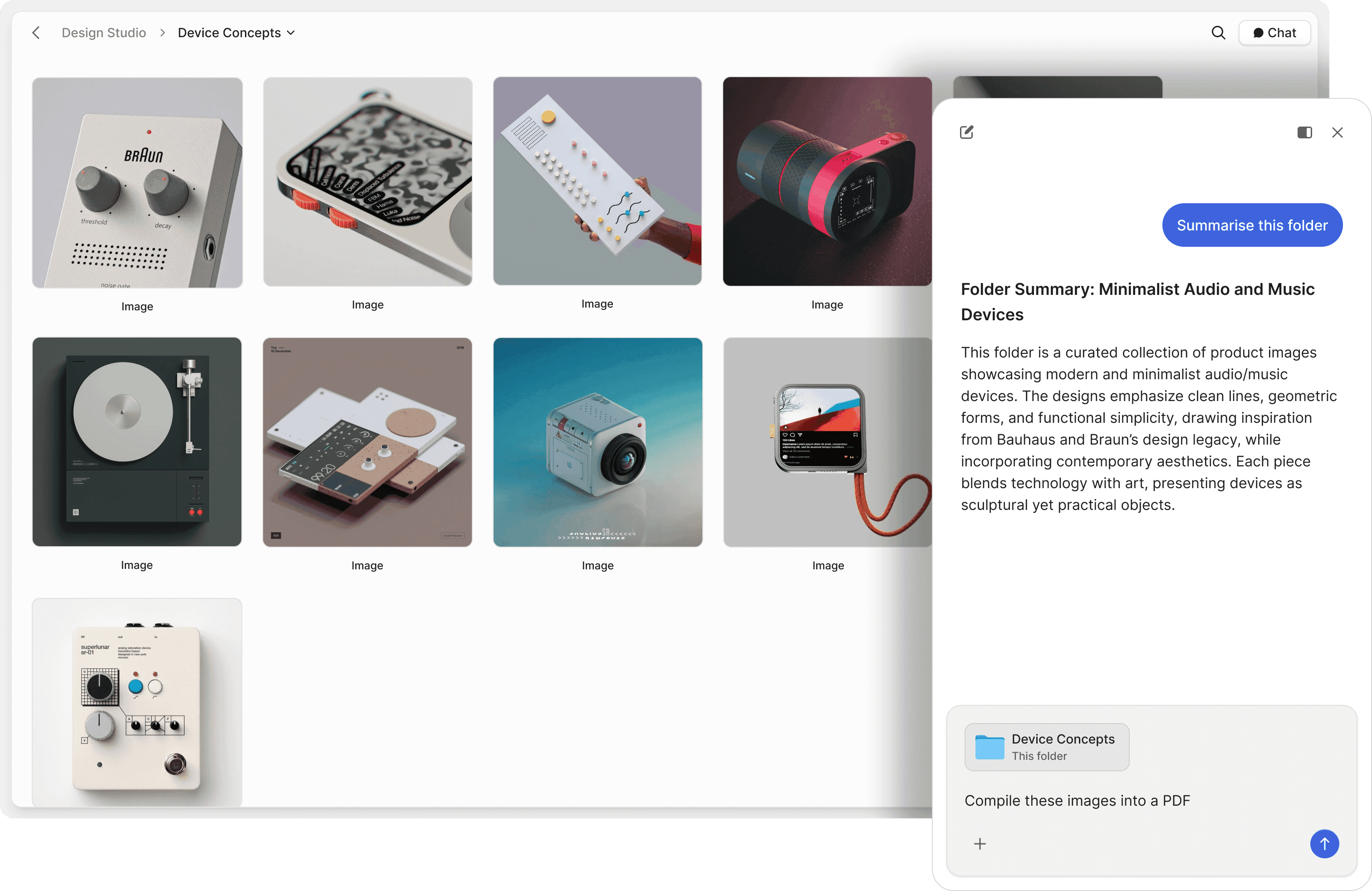
Page-by-page tracking
See which pages each viewer spent time on, how many times they returned, and whether they completed the full document. Included on all plans.
Exportable audit trails
Timestamped logs with viewer identity, device type, and access duration. Export as evidence if you need to investigate a leak or prove who had access.
Auto-expiring access
Set links to expire at the end of each term, semester, or contract period. Access cuts off automatically — no manual cleanup needed.
"Every now and then, you come across a product that has a massive positive impact on your business. Peony is one such product."
Panos Moutafis
Founder & CEO, Zenus
Anthony Gale
Founder & CEO, PromoLens
"Not often I make recommendations, but I started using Peony to share presentations etc with external people. It works so well & makes us look really organized. We looked at DocSend etc. but the cost & clunkiness just put us off."
Frequently asked questions
I operate a tutorial centre with 3 locations and teachers have been secretly copying our proprietary worksheets — what can Peony do to stop internal IP theft?
Peony gives you three layers of protection against staff copying your materials. Screenshot protection (Business, $30/admin/month) blocks digital screen captures and logs every attempt, so you know immediately if a teacher tries. Dynamic watermarks stamp every page with the viewer's name and email — if someone photographs your worksheets with a phone camera, the image is traceable back to that person. And download controls let you disable saving and printing entirely, so your materials stay in the browser and never reach a teacher's personal device. For a 3-location centre with 15-20 teachers, this replaces the zero-protection environment of Google Drive or Dropbox where any teacher can download, copy, and walk away with your entire curriculum.
We run a test prep academy with 200+ students per semester and our practice exams keep appearing on social media — how do we share exam materials securely?
For a 200-student academy, Peony lets you upload your exam materials once and share them through password-protected links (Business, $30/admin/month) that you change each semester. Set link expiry to automatically cut off access the day the exam period ends — students cannot view materials after that date, even if they saved the link. On the Business plan ($30/admin/month), screenshot protection blocks students from capturing exam content on their screens, and the Data Room plan ($52/admin/month) adds dynamic watermarks that overlay every page with the student's identity so any photo taken with a phone camera is immediately traceable. Page-level analytics show you exactly which students accessed which exams and for how long — unlike Google Classroom or Dropbox, which give you no visibility into how shared files are actually being used.
I manage corporate training for a company with 8 regional offices and 50 trainers — can we control which trainers see which certification materials and revoke access when they leave?
Yes. Peony's granular permissions let you set up separate folders for each region and assign view-only access to specific trainers — your Toronto office sees only their materials, your Vancouver office sees theirs. When a trainer leaves, you revoke their individual link from the dashboard and their access ends immediately, with no need to change passwords or redistribute new links to everyone else. For your 50-trainer program, page-level analytics (included on all plans) show exactly which trainers opened which modules, which pages they spent the most time on, and whether they actually completed the required materials. Data Room ($52/admin/month) adds dynamic watermarks so every page displays the trainer's identity — a deterrent that generic LMS platforms like Google Workspace or SharePoint simply do not offer.
Our language school has 15 teachers across 3 branches — we caught a departing teacher taking our entire curriculum to a competitor. How do we prevent this from happening again?
For a 3-branch language school, Peony addresses exactly this scenario. On Data Room ($52/admin/month), dynamic watermarks stamp every page of your curriculum with the viewing teacher's name and email — so if materials surface at a competitor, you can trace the leak to the exact person. Screenshot protection on Business ($30/admin/month) blocks digital captures on desktop and logs every blocked attempt. Download and print controls are disabled by default, so teachers view your materials in the browser but cannot save local copies. When a teacher gives notice, you revoke their link from the dashboard and access ends instantly — no waiting for IT to update shared drives. Unlike Dropbox or Google Drive where a teacher can download your entire folder tree in 30 seconds, Peony keeps your curriculum in a controlled viewing environment from day one.
We sell $2,000 professional development workshop materials to corporate clients — how do we stop them from redistributing our content to employees who did not pay?
For a professional development company selling high-value content, Peony's Business plan ($30/admin/month) lets you require a Simple NDA acknowledgement before anyone can view your materials — so each corporate client formally agrees to your usage terms before seeing a single page. If you need a signed NDA captured as a PDF with a full audit trail, the Data Room plan ($52/admin/month) adds Advanced NDA. Dynamic watermarks stamp every page with the viewer's identity, deterring unauthorized redistribution because every copy is traceable. Page-level analytics show you exactly who viewed which sections and for how long, so if a client purchased 10 seats but 40 people are accessing the materials, you can see that immediately. Password-protected links (Business, $30/admin/month) let you set unique access codes per client, and link expiry cuts off access automatically when the workshop engagement ends. DocSend offers basic password gates but has no NDA gating, no screenshot protection, and no watermarks at any tier.
I own a small tutoring centre with 8 tutors and I just discovered one of them shared our entire exam bank with a competing centre — what would have prevented this?
Three features would have either prevented the leak or identified the source immediately. First, dynamic watermarks (Data Room, $52/admin/month) overlay every page of your exam bank with the viewer's name and email — so any copy that surfaces at a competitor is traceable to the tutor who shared it. Second, screenshot protection (Business, $30/admin/month) blocks digital screen captures on desktop, eliminating the easiest method of copying exam content. Third, your audit trail shows exactly which tutor accessed which files and when — so you would have seen unusual access patterns, like a tutor viewing 200 exam files in a single session, before the leak occurred. For your 8-tutor centre, dynamic watermarking costs $52/month for one admin seat — compared to the revenue loss of a competitor now holding your proprietary materials. Google Drive, which most small tutoring centres use, gives you none of this visibility.
We run an online tutoring platform and students keep taking screenshots of our premium video content and lesson slides — does screenshot protection work on mobile?
On desktop, Peony's screenshot protection (Business, $30/admin/month) actively blocks screen capture tools and logs every attempt — you get notified when a student tries and fails. On mobile devices, screenshot blocking is harder to enforce due to OS-level limitations, but dynamic watermarks provide a strong deterrent: every page and every frame displays the student's name, email, and a timestamp, so any screenshot or photo taken with a physical camera is immediately identifiable. For an online platform serving hundreds of students, this combination of blocking plus tracing is significantly more effective than no protection at all — which is what Google Drive, Dropbox, and most LMS platforms offer. Page-level analytics also show you exactly which students accessed which content and for how long, giving you engagement data alongside security.
Our driving school shares training manuals with 30 instructors who rotate frequently — how does Peony handle the constant access changes?
For a driving school with high instructor turnover, Peony makes access management simple. Each instructor gets their own individual link — when they leave, you revoke that single link from the dashboard and their access ends immediately. No need to change shared passwords or redistribute new links to the remaining 29 instructors. You can also set links to auto-expire after a set period, such as the length of an instructor's contract, so access revocation happens automatically even if someone forgets. On Business ($30/admin/month), password-protected links add another layer — you change the password and only share the new code with active instructors. Page-level analytics show you each instructor's last access date, so you can spot inactive accounts and clean them up proactively. This is a fraction of the cost of enterprise DLP systems that charge $5,000-15,000 per year for similar access controls.
Our academy in Canada has 500+ proprietary worksheets and lesson plans — how much does it cost to protect all of them with Peony?
For a Canadian academy with 500+ documents, Peony Business at $30/admin/month gives you screenshot protection, download blocking, and full audit trails — for every document, with unlimited viewers. There are no per-document, per-page, or per-view fees, so protecting 500 worksheets costs the same as protecting 50. One admin seat covers your entire document library. Business covers up to 3 data rooms per admin; if you need unlimited data rooms, granular permissions, dynamic watermarks, Screenshield, and unlimited storage and file size, the Data Room plan at $52/admin/month covers that. For context, enterprise DLP solutions marketed to education charge $5,000-15,000 per year for similar capabilities, and generic platforms like Google Workspace for Education offer no watermarking, no screenshot protection, and no per-document audit trails at any tier.
We operate a multi-branch tutorial centre in Hong Kong and want to give each branch manager access to only their location's materials — can Peony do that?
Yes. Peony's folder-level permissions let you create separate document sets for each branch and assign view-only or edit access per user. Your Yuen Long branch manager sees only Yuen Long materials, your Tin Shui Wai manager sees only theirs. Each branch's materials can have their own sharing links with different passwords, expiry dates, and permission levels. On the Data Room plan ($52/admin/month), dynamic watermarks stamp every page with the viewer's identity — so if materials from one branch appear at another, you can trace the source. Page-level analytics (included on all plans) show you which branch managers accessed which documents and when, giving you centralized visibility across all locations without giving everyone access to everything. This replaces the common setup of shared Google Drive folders where a single link compromise exposes your entire organization's materials.
We have 300 students across 4 branches — how do I give each the right materials by their email, without creating hundreds of logins manually?
Gate access by email, not by login. On Peony, you create one access link per class or cohort with email verification turned on, then import your student or teacher roster as a CSV — only the emails on your list can get in. When students enrol or leave, you re-import the CSV and access updates instantly across all your materials. There are no per-student passwords to manage and no public link to leak: each student enters their own email to view, and every page they open is stamped with their identity. For 300 students across 4 branches, that replaces hundreds of manual logins with a few roster uploads — and if one family shares a login, the watermark and audit trail show you exactly whose account is being used and where.
A worksheet of ours showed up for sale online — how do I trace a leaked or counterfeit copy back to the exact person who shared it?
This is exactly what Peony's dynamic watermarks are built for. Every page each viewer opens is burned with their identity plus a unique per-viewer code (an 8-digit CID) that maps back to their email — and that mapping is exportable as a CSV for your records. If a counterfeit copy or a screenshot of your worksheet surfaces on a messaging app, a file-sharing site, or a competitor's materials, you cross-reference the code on the leaked copy against your list and you know the exact account it came from. It is the principle we call the Forensic-Watermark Deterrence Inversion: you cannot stop a determined person from photographing a screen, but you can make every copy carry an indelible fingerprint, so the deterrent becomes 'if you leak this, we will know it was you.' Combined with screenshot blocking, download controls, and an immutable audit trail of who opened what and when, you move from 'someone leaked our materials and we have no idea who' to a named account in minutes.
Can I run a separate secure room for each class, branch, or course cohort on one account — without paying per student or per room?
Yes — that flat-fee model is one of the main reasons education teams choose Peony. The Data Room plan is $52 per admin per month, and it includes unlimited data rooms and unlimited free viewers with no per-student, per-room, per-document, or per-view fees. (Just getting started with up to 3 rooms per admin? The Business plan at $30 per admin per month covers that.) You can spin up a separate room for each class, each branch, or each course cohort, give each its own materials and access list, and the price is the same whether you have 50 students or 5,000. One admin seat covers your entire library. Compare that to per-seat LMS pricing that climbs with every student you add, or enterprise DLP marketed to education at $5,000–$15,000 a year — Peony gives a multi-branch centre the same protection for a flat $52 per admin per month.
Features for education
Screenshot Protection
Block screen captures and log every attempt — so you know when someone tries to copy your materials.
Dynamic Watermarks
Stamp every page with the viewer's identity — deterring phone photos and making any leak traceable.
Leak Protection
Disable downloads, block printing, and control exactly how your documents can be accessed.
Link Expiry
Auto-expire access at the end of each term so former students and staff lose access automatically.
Password Protection
Add passwords to shared links and change them each semester to control who can access your materials.
Page-Level Analytics
See exactly who viewed which documents, which pages they spent time on, and when they last accessed them.