
Collect client financialsManage audit workpapers securely
The data room purpose-built for CPA firms, audit teams, and tax professionals. Organize engagement documents, control access per client, and survive tax season without the chaos.Set up in under 5 minutes.
No credit card required
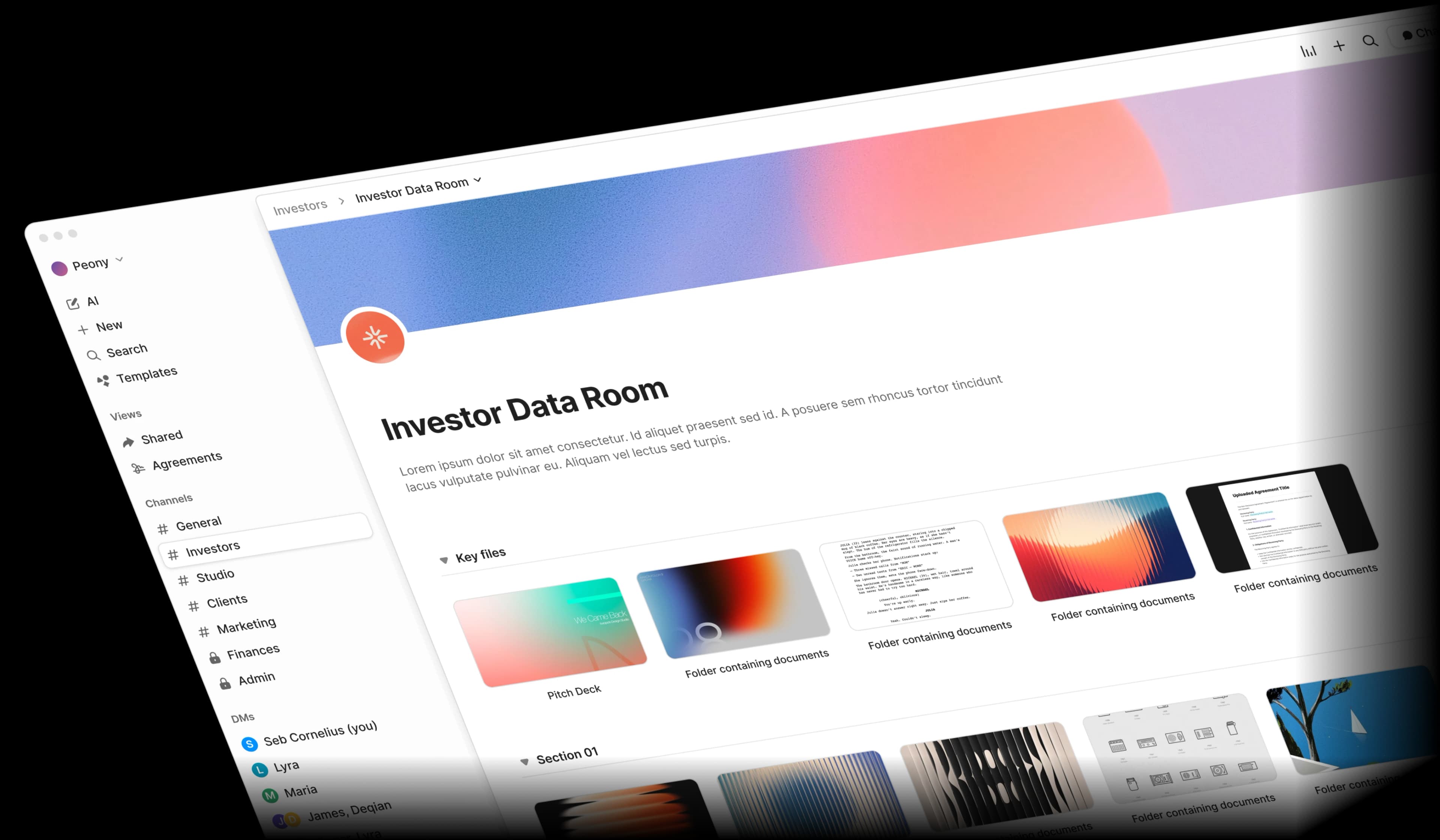
Accounting document management is broken
Client financials scattered across email, portals, and USB drives. Audit workpapers without proper access controls. Tax season deadlines with hundreds of clients and thousands of documents. It does not have to be this way.
Scattered client documents
Trial balances, general ledgers, and bank statements arrive via email, Dropbox links, and even USB drives. Tracking what you have and what is missing wastes hours.
Weak workpaper controls
Audit workpapers need SOC 2-level access controls, but most file-sharing tools cannot restrict who sees what at the engagement level.
Tax season chaos
Hundreds of clients, dozens of documents each, and tight filing deadlines. Form 1040s, K-1 packages, and 1120s pile up with no central system to manage them.
Manual review workflows
Partner review and sign-off processes rely on email chains and spreadsheet trackers. Engagement letters and management representation letters get lost in the shuffle.
Built for how accounting firms actually work
Peony gives you client-specific document portals, engagement-level access controls, and AI-powered search across all your workpapers — at a fraction of legacy VDR pricing.
Personalized upload links, organized by engagement
Stop chasing clients for missing documents. Send each client a secure upload link with pre-built folder structures for trial balances, bank statements, and supporting schedules. NDA-gated access keeps sensitive financials protected from day one.
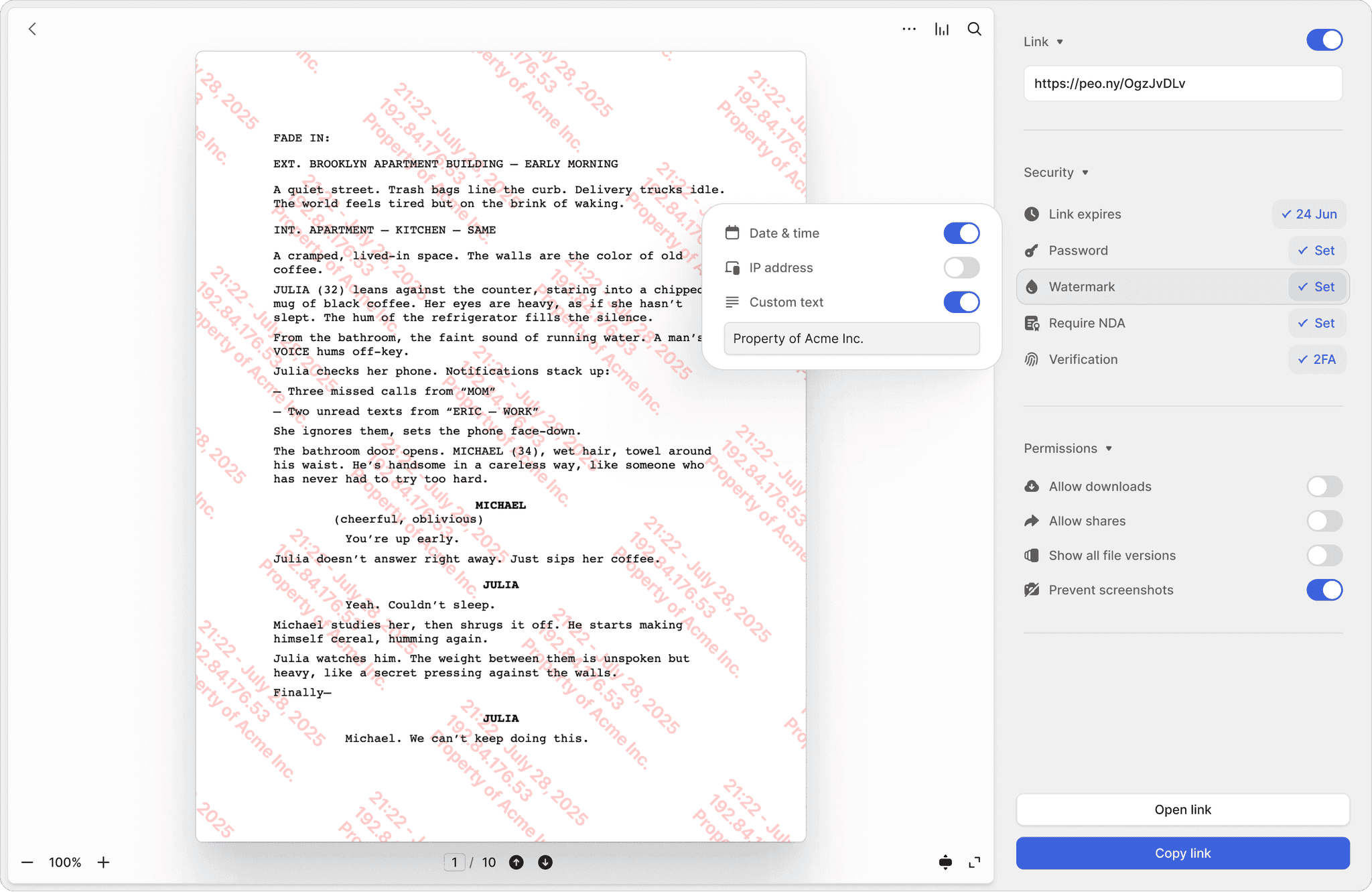
Personalized upload links
Give each client a branded, secure link to upload their general ledgers, bank reconciliations, and tax documents. No more chasing attachments across email threads.
Organized folder structures
Pre-built engagement folders for audit workpapers, tax returns, and advisory documents. Every Form 1040, 1120, and K-1 package has a home before the client even uploads.
Dynamic watermarks on workpapers
Every audit workpaper and financial statement is stamped with the viewer's identity and timestamp. If a document leaks, you know exactly who shared it.
Separate permissions per client engagement
Not every team member needs access to every client. Set granular permissions per engagement, require 2FA for partner-level materials like management representation letters and SOC reports, and auto-expire access after filing deadlines pass.
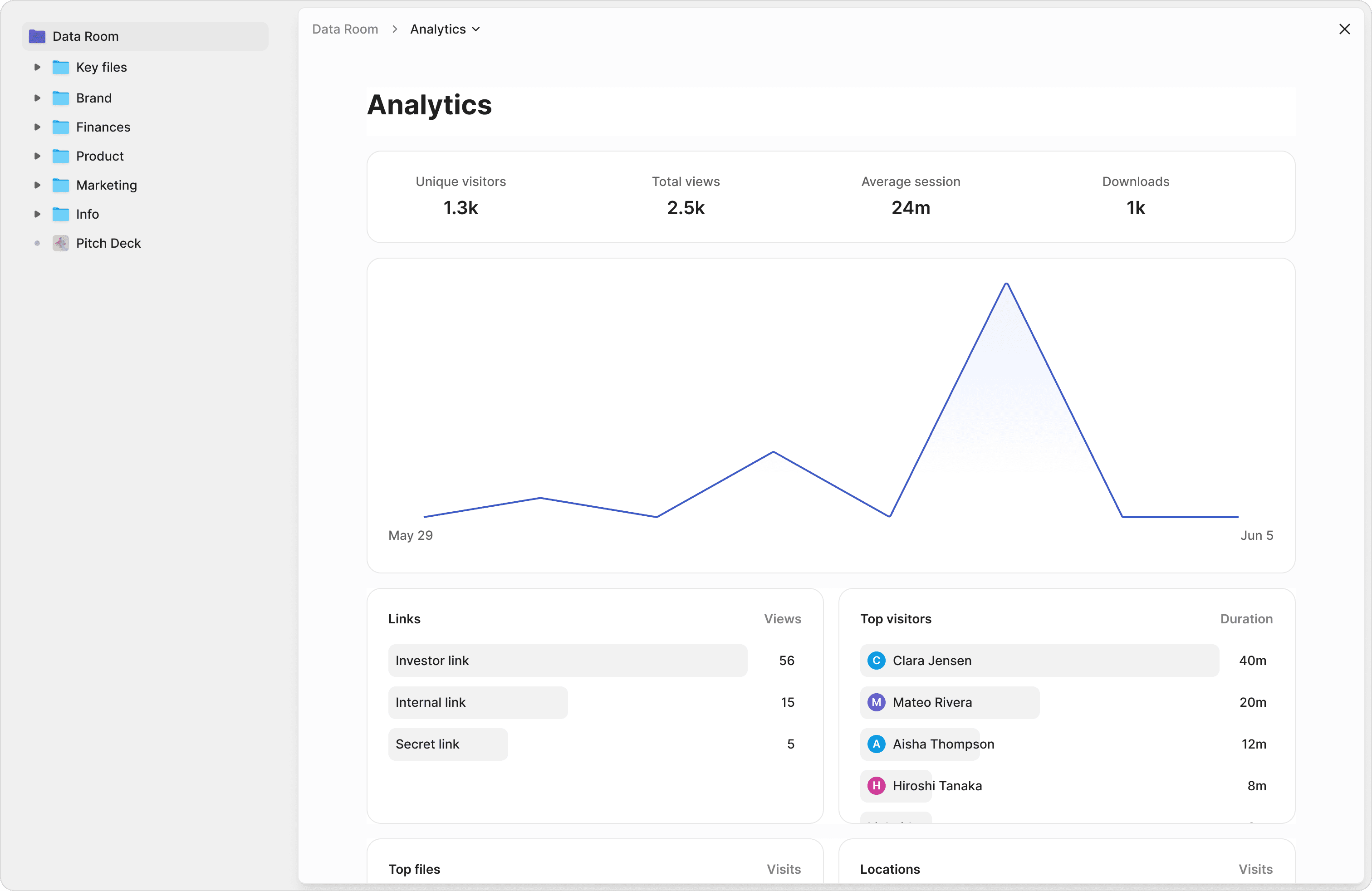
Per-engagement permissions
Staff auditors see only their assigned engagements. Partners get full visibility across all clients. Forensic accountants access only the investigation files they need.
2FA for partner-level materials
Require two-factor verification before anyone can view engagement letters, management representation letters, or SOC audit reports. An extra layer of protection where it matters most.
Auto-expire after deadlines
Set access to automatically revoke after tax filing deadlines or audit completion dates. No manual cleanup — links expire on schedule so stale access never lingers.
Search across financial statements and workpapers instantly
Stop digging through filing cabinets of PDFs. Ask questions across your entire document library and get instant, sourced answers from general ledgers, trial balances, and engagement files.
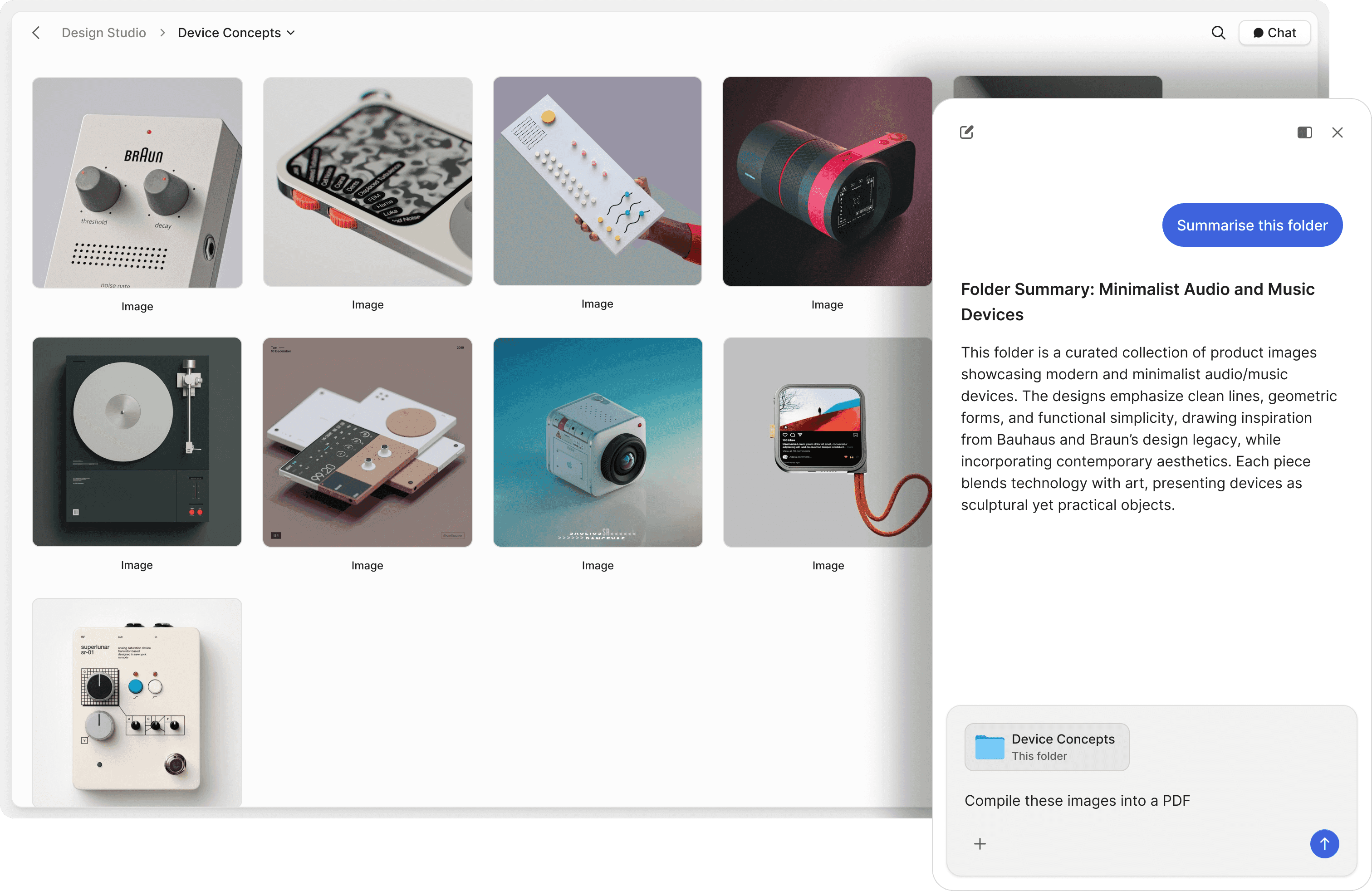
Chat with financial documents
Ask questions across trial balances, general ledgers, and audit workpapers. AI retrieves answers with exact source references — no more manual cross-referencing.
Find specific transactions
Search your data room in plain English. Find specific journal entries, account reconciliations, or revenue recognition details without remembering file names or folder paths.
Automated client Q&A
Let AI handle routine client inquiries about document status, missing items, and filing requirements. Free up your team to focus on analysis, not admin.
"The team at Peony put craft into everything they do; from the product to their support, they shine through how much they care."
Germain Brion
Founder, Veritai
Mark Petrov
Head of Financials, Loop
Peony is by far the simplest and most intuitive way to populate and share data rooms with investors and partners. All the key analytics and features integrated into a sleek interface!
Frequently asked questions
What documents belong in an accounting data room?
An accounting data room typically includes trial balances, general ledgers, bank statements and reconciliations, audit workpapers, engagement letters, management representation letters, tax returns (Form 1040, 1120, K-1 packages), SOC reports, and supporting schedules. Peony lets you organize all of these with pre-built folder structures per engagement and granular permissions so each client, auditor, and partner sees only what they need. Peony's auto-indexing applies OCR to scanned receipts and bank statements and builds a full-text search index automatically, so your team can locate any transaction across hundreds of client files.
How does Peony help CPA firms during tax season?
Peony streamlines tax season by giving each client a personalized, secure upload link with pre-built folders for their specific documents. Instead of chasing attachments across email threads, clients upload directly into organized structures. Peony's AI-powered search lets your team find specific transactions or schedules across hundreds of client files instantly, saving hours during peak filing periods.
Can CPA firms control client document access at the individual engagement level?
Yes. Peony supports granular folder-level and document-level permissions per engagement. Staff auditors see only their assigned engagements, partners get full visibility across all clients, and forensic accountants access only investigation files. Peony also includes two-factor authentication to protect partner-level materials like management representation letters and SOC reports.
How does Peony protect confidential financial documents from leaking?
Peony combines screenshot protection to block screen captures of client financials, dynamic watermarks stamped with the viewer's identity and timestamp on every page, NDA-gated access with integrated e-signatures, two-factor authentication, link expiry, and instant access revocation. All data is secured with AES-256 encryption at rest and TLS 1.3 in transit, on SOC 2 Type II-ready infrastructure. Peony is GDPR, CCPA, and HIPAA compliant. Peony also supports controlled redaction to permanently black out sensitive PII or financial figures before sharing workpapers with external reviewers (Advanced Redaction is available on the Deal Team plan). Screenshot protection, dynamic watermarks, Simple NDA gates, and AI document Q&A are available on the Business plan ($30/admin/month) — a fraction of what legacy VDRs like Firmex or Digify charge.
Can access to tax documents expire automatically after filing deadlines pass?
Yes. Peony's link expiry feature lets you set access to automatically revoke after tax filing deadlines or audit completion dates. No manual cleanup required — links expire on schedule so former clients and external reviewers lose access automatically, reducing your compliance risk.
How does AI help accounting firms organize and review audit workpapers?
Peony's AI-powered document chat lets auditors ask natural language questions across trial balances, general ledgers, and workpapers and get sourced answers with exact page references. Find specific journal entries, account reconciliations, or revenue recognition details instantly. Peony's AI document Q&A is available on the Business plan ($30/admin/month) — far less than Ideals or Firmex charge for similar capabilities.
How much does a data room cost for a CPA firm managing multiple client engagements?
Legacy VDRs like Ideals charge thousands per month. Peony offers a free plan ($0), scales to Business at $30 per admin per month (up to 3 data rooms, screenshot protection, dynamic watermarks, AI document Q&A) and Data Room at $52 per admin per month (unlimited data rooms, unlimited storage and file size, granular permissions, and full audit trail). The Data Room plan adds Advanced NDA with signed PDF and audit trail. No per-viewer, per-page, or per-link limits on any plan, so costs stay predictable across hundreds of client engagements. Setup takes under 5 minutes.
Does Peony provide SOX-ready audit trails for accounting and tax compliance?
Yes. Peony generates timestamped access logs with IP addresses, device details, and page-by-page view duration for every document interaction. These exportable compliance reports show exactly who accessed which client financial documents and when, supporting SOX audit requirements and regulatory compliance documentation. Peony is SOC 2 Type II-ready, and a self-serve standard DPA plus security documentation are available on the Deal Team plan.