
My Sign-In Code Says It's Invalid
Peony says Token has expired or is invalid when you enter your sign-in code. Use the code from the newest email, check it for typos, or request a fresh one. Data room visitors may get a sign-in link instead of a code.
Last updated October 23, 2026
What You'll See
You typed the code from your email, clicked Verify code, and Peony answered Token has expired or is invalid.
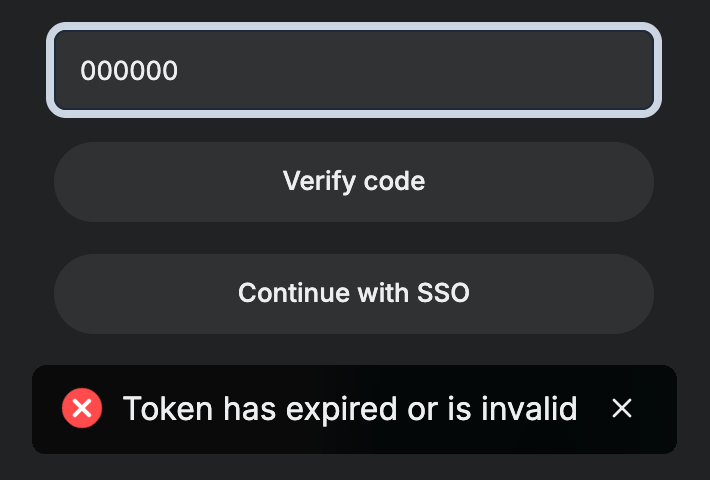
1. Use the Code From the Most Recent Email
Each new request replaces the previous code. If you clicked Resend, or requested a code in another tab, only the code in the newest email works. Search your inbox for Peony and use the latest one.
2. Check the Code for Typos
Type the code rather than pasting it if the paste picked up a space or a line break, then click Verify code again.
3. Request a Fresh Code
Codes expire after a while. If the email is old, wait for Resend to unlock on the code screen, request a new code and enter it right away. Or click Continue with Google on the sign-in screen, which needs no code.
Visitors and Signers
Data room visitors get either a sign-in link or a code, depending on the group's access mode. If a visitor's email never arrives, see A visitor didn't get the sign-in email. Visitors and people signing an e-signature request who do get a code can follow the same three steps. If they see Too many verification requests, see Too many verification requests.
Common Questions
Why is there a wait before I can request another code?
The countdown, about two minutes, protects your account from someone requesting codes in a loop. If you need in sooner, sign in with Continue with Google, which needs no code.
How does a visitor get a new password for a room they were invited to?
Each group's password is set by the room's admin, so access stays under the owner's control. Ask the admin to resend the current password or set a new one for your group.