
Too Many Verification Requests. Please Wait 2 Minutes.
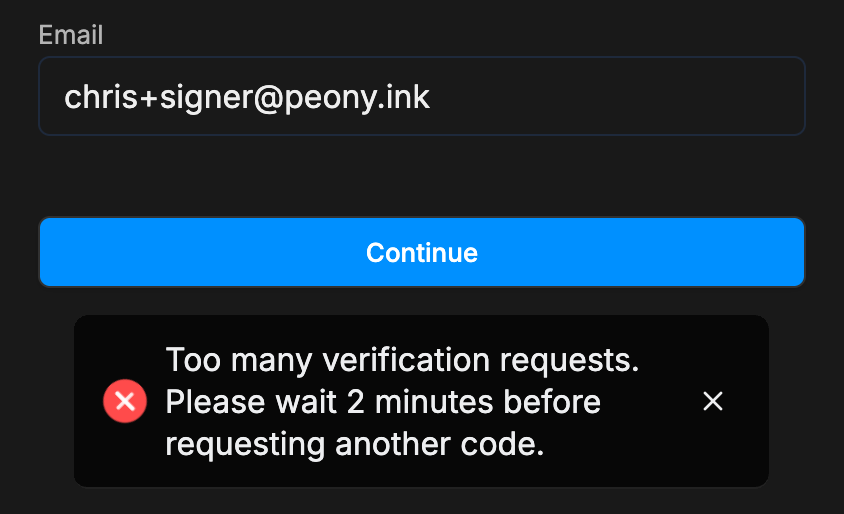
A signer sees Too many verification requests. Please wait 2 minutes before requesting another code. A code was already sent to that email in the last two minutes. Use that code, or wait two minutes and request a new one.
Last updated October 23, 2026
What They See
Someone opening a link that asks them to verify their email, such as an e-signature request, enters their email, clicks Continue, and gets this message:
Why It Happens
Each email address can get one verification code every two minutes. This protects the link from someone requesting codes in a loop. The message appears when a code was already sent to that address in the last two minutes, for example when the person:
- opened the link on a second device or browser right after the first
- clicked Continue again because the first email hadn't arrived yet
- opened the link again in a new tab after already verifying
Nothing is wrong with their access.
What to Do
- Use the code that was already sent. Search the inbox for Peony, and check spam. Enter that code on the screen where it was requested, usually the first device or tab.
- Or wait two minutes. Then enter the email and click Continue again. A fresh code is sent and only the newest code works.
- Stay on one device. If the person already got in on one device, they can carry on there and skip verifying again.
If no code arrives at all, see A visitor didn't get the sign-in email.
Common Questions
My signer says it shows too many tries when they try to log in. Why?
A code was already sent to their email in the last two minutes, often from another device or browser tab. Ask them to use the code from that email, or wait two minutes and click Continue again.